


Look, if you're reading this, you're probably past the "buy crypto on an exchange and leave it there" phase. You've done your research. You understand the "not your keys, not your coins" mantra. And now you're looking for a hardware wallet that doesn't mess around.
Well, buckle up, because Coldcard is about to blow your mind with security features you didn't even know you needed.
This isn't your typical plug-and-play hardware wallet. Coldcard is the paranoid Bitcoin maximalist's dream come true—a device that never has to touch your computer, comes with literal "trick PINs" to fool attackers, and can even be programmed to self-destruct. Sounds intense? That's because it is. Let's dive deep into why Coldcard has become the gold standard for serious Bitcoin holders.
What is Coldcard?
Coldcard is a Bitcoin-only hardware wallet that looks like a calculator from the 90s but packs more security features than Fort Knox. Made by Canadian company Coinkite, this device is designed for one purpose: keeping your Bitcoin as secure as humanly possible.
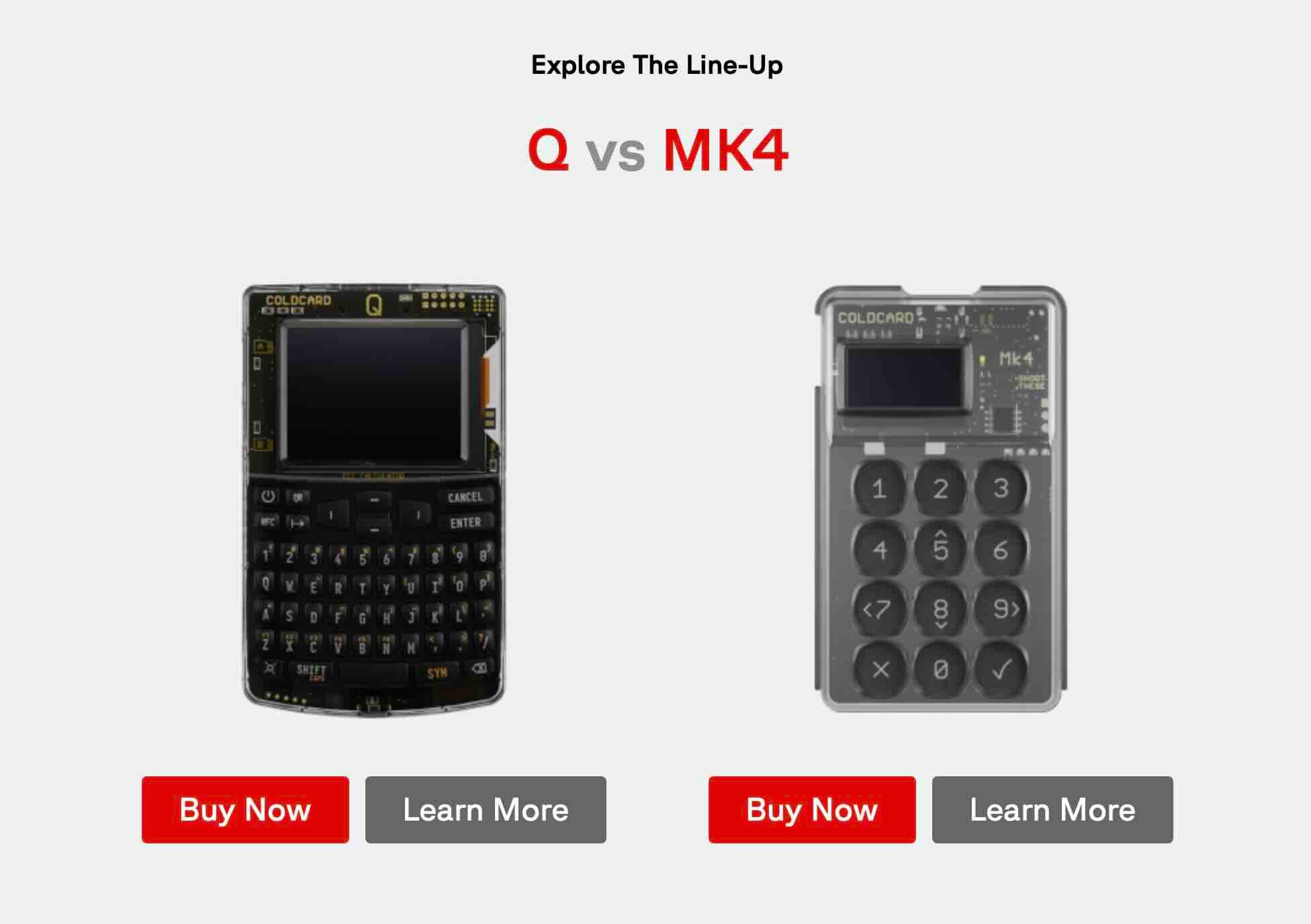
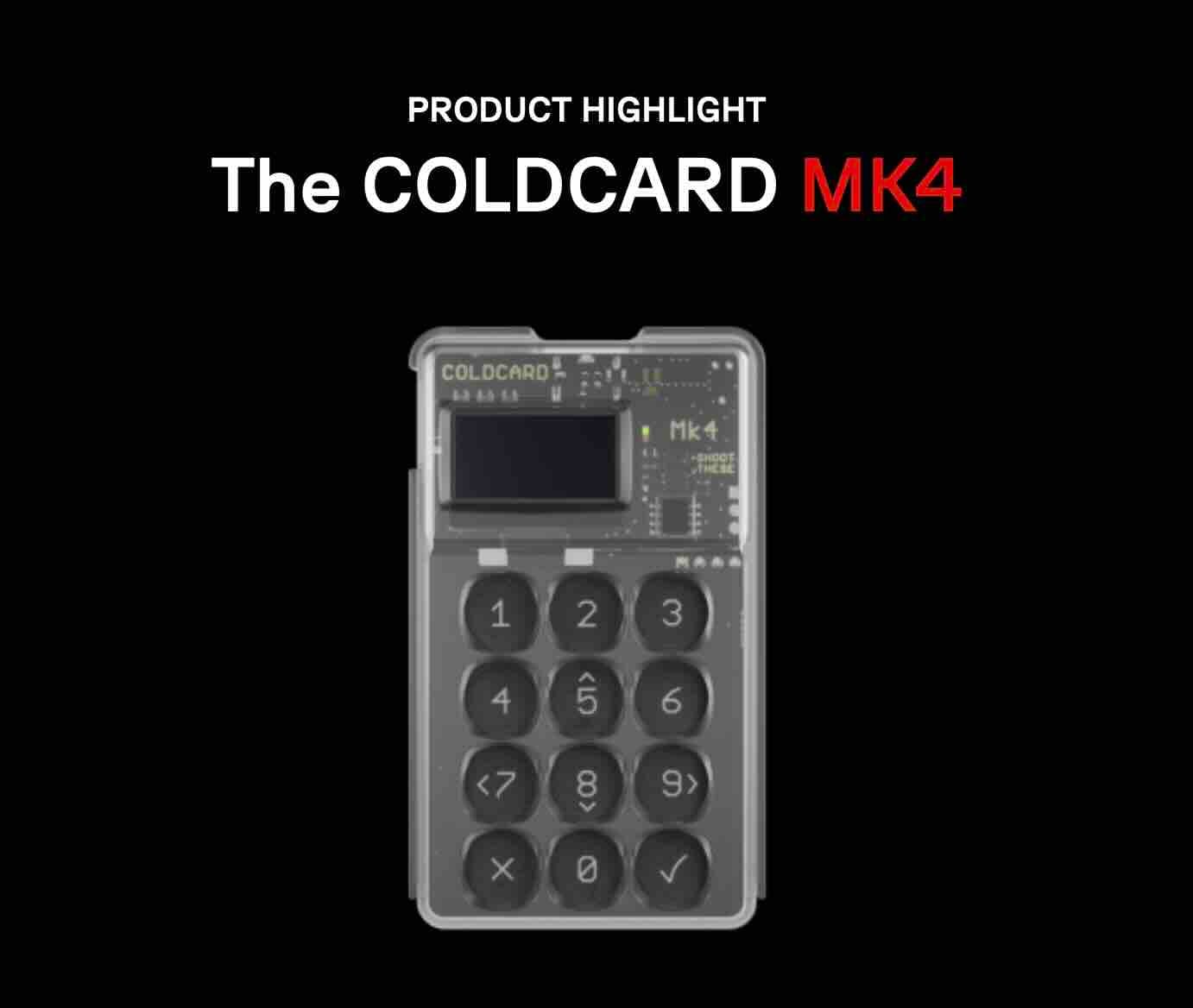
Currently, there are two main models: the Coldcard Mk4 ($177.94) and the flagship Coldcard Q ($249.21). Both deliver the same hardcore security DNA—the Q just adds a bigger screen, QR scanner, and QWERTY keyboard for extra convenience.
The Story Behind Coldcard: Built by a Paranoid CEO (In the Best Way)
Coldcard was developed by Coinkite, a Toronto-based company founded in 2013 by Rodolfo Novak (CEO) and Peter Gray. Here's the cool part: Rodolfo designed Coldcard based on his own security needs and expectations. The guy literally built the wallet he wished existed.
Coinkite originally started as a Bitcoin exchange but quickly pivoted after facing DDoS attacks and regulatory headaches. They realized their true calling was building Bitcoin hardware, not running an exchange. Smart move.
Before Coldcard, they created Opendime—a USB stick that acts like a physical Bitcoin bearer instrument. But Coldcard was their masterpiece, launching in 2019 and quickly becoming the go-to wallet for security-obsessed Bitcoiners.
What makes Coldcard's story compelling is the company's values. They're fiercely open-source, publishing all their code on GitHub. They're transparent about manufacturing processes. And they're not trying to be everything to everyone—they just want to protect your Bitcoin better than anyone else.
Pricing: Straightforward But Not Cheap
Let's talk money:
Coldcard Mk4: $177.94 Coldcard Q: $249.21
That's more expensive than entry-level wallets like Trezor One ($69) or Ledger Nano S Plus ($79), but comparable to premium options like Ledger Nano X ($149) or Trezor Model T ($219).
Here's the catch: the Mk4 doesn't include a USB cable in the box. Yep, you'll need to buy one separately (official USB-C cable is $16.99). For air-gapped setups, you might also need a power adapter and industrial-grade microSD card, which can add another $50+ to your total cost.
Is it worth it? If you're serious about Bitcoin and value security above convenience, absolutely. If you're holding $100 worth of crypto as a hobby, probably not. Coldcard is for people who treat Bitcoin storage like they're protecting nuclear launch codes.
Both models come in multiple colors—standard black/clear, plus fun options like pink, blue, orange, green, purple, red, gold edition, and even glow-in-the-dark for "your deepest cold-storage cave" (their words, not ours). Because secure doesn't have to be boring.
Core Features: The Calculator That Guards Fort Knox
Dual Secure Element Chips
Most hardware wallets use one secure element chip. Coldcard uses TWO—from different manufacturers (Microchip's ATECC608 and Maxim's DS28C36B). This is paranoia-level security done right.
Why two? Because for your Bitcoin to be compromised, a backdoor would need to exist in THREE separate chips: both secure elements AND the main microprocessor. The odds of that happening? Astronomically low.
Your seed phrase (the master key to your Bitcoin) lives locked inside these chips, never touching the main processor or your computer.
Air-Gapped Operation: Never Touch the Internet
Here's where Coldcard gets wild. You can use it WITHOUT EVER connecting it to your computer. Seriously.
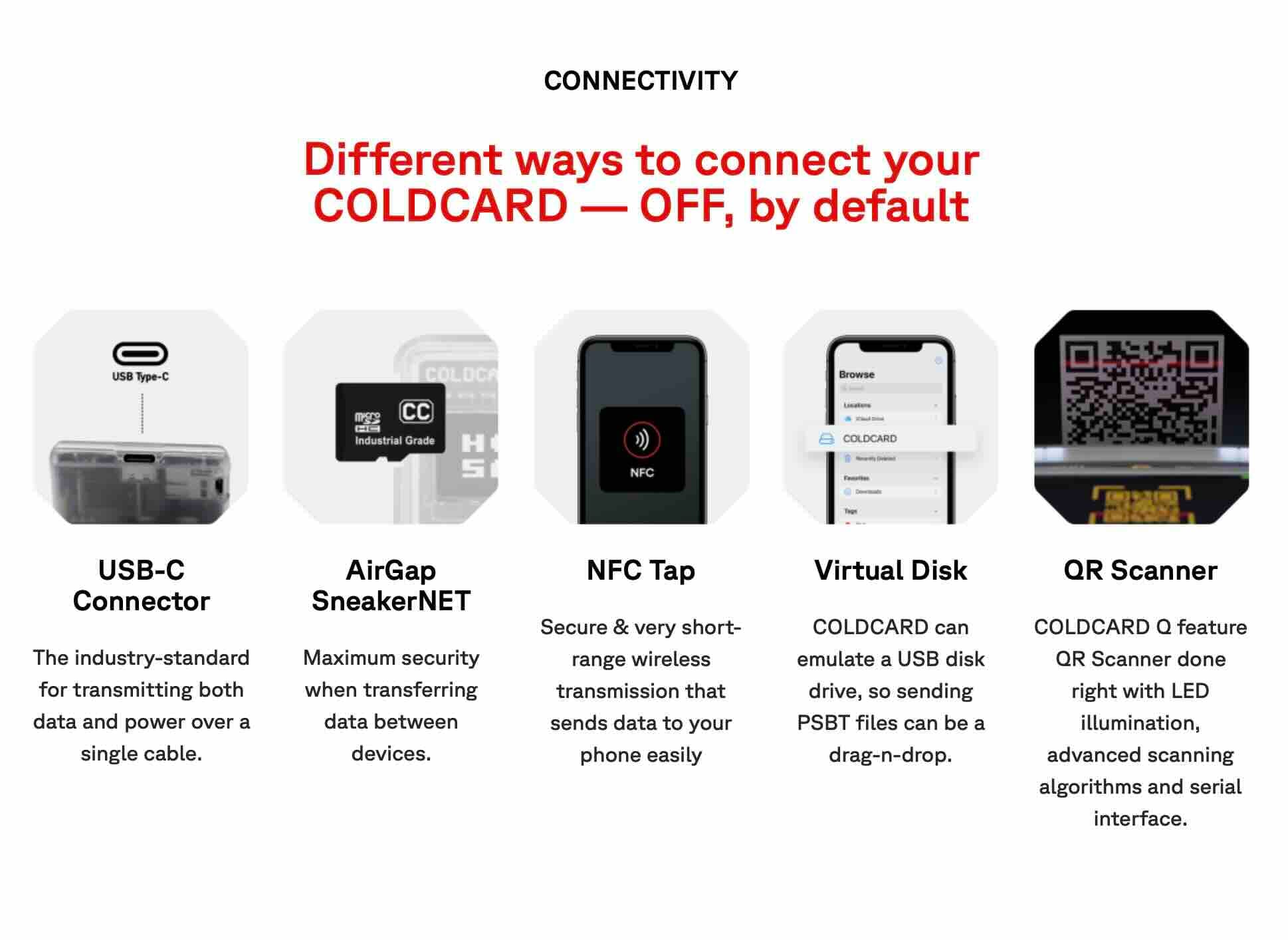
The device supports fully air-gapped operation using:
- MicroSD card: Sign transactions offline by physically moving files between your computer and Coldcard
- NFC (Mk4): Tap your phone to complete transactions
- QR codes (Q model): Scan QR codes to transmit transaction data
This means your private keys literally never communicate with an internet-connected device. Can't hack what can't connect. It's brilliant.
Trick PINs: James Bond Level Security
This feature alone makes Coldcard legendary. You can set up multiple special PIN codes:
Duress PIN: Opens a decoy wallet with a small amount of Bitcoin. If someone forces you to unlock your wallet at gunpoint (the infamous "$5 wrench attack"), you show them this fake wallet. They think they got your stash, but your real funds are hidden elsewhere.
Brick Me PIN: Instantly destroys the secure element, rendering the device permanently useless. Extreme? Yes. Necessary in certain situations? Also yes. Perfect for activists, journalists, or anyone facing potential government seizure.
Login Countdown: Set a time delay (minutes, hours, even days) before the device allows login. This gives you time to react if someone steals your Coldcard.
Show me another wallet with these features. I'll wait.
Anti-Phishing Words
When you enter the first part of your PIN, Coldcard displays two unique anti-phishing words specific to YOUR device. These words are secret—nobody else in the world knows them.
This protects against "evil maid" attacks where someone swaps your real Coldcard with a fake one that looks identical. If your anti-phishing words don't appear, you know you're holding a trojan device.
Supply Chain Paranoia (The Good Kind)
Coinkite is obsessed with preventing tampering before you receive your device:
- Internal components are covered in epoxy resin, making tampering obvious
- The transparent plastic case lets you inspect the internals
- Each device comes in a numbered sealed bag
- That same number is permanently labeled on the circuit board
- If the numbers don't match, something's wrong
Can you bypass this? Maybe, with sophisticated equipment and expertise. But it makes casual tampering nearly impossible.
Open-Source Everything
All Coldcard firmware is published on GitHub. Anyone can audit the code, verify it's legit, and even compile it themselves to prove what's running on the device matches what's claimed.
The hardware design is also documented. This transparency builds trust—there are no secrets or backdoors because the entire Bitcoin community can inspect everything.
Partially Signed Bitcoin Transactions (PSBT)
Coldcard was the first hardware wallet to natively support PSBTs (BIP174). This standard enables:
- Signing transactions while completely offline
- Collaborative multisig setups
- Advanced Bitcoin workflows
For regular users, this just means enhanced security. For power users, it opens up sophisticated cold storage strategies.
Coldcard Q Exclusive Features
The premium Q model adds:
- QR Scanner: LED-illuminated scanner with advanced algorithms for reading QR codes
- Dual microSD slots: Manage multiple storage cards simultaneously
- QWERTY keyboard: Full keyboard for entering long passphrases easily
- 3.2" display: Massive 320x240 pixel LCD screen
- Seed Vault: Store multiple temporary seeds in encrypted format
- Secure Notes & Passwords: Password manager functionality
- Key Teleport: Transfer seeds between Q devices using QR codes or NFC
- 3xAAA battery support: Run completely wireless, no USB needed
The Q is basically Coldcard on steroids—all the security with significantly better usability.
Security: Independently Verified Paranoia
Coldcard's security isn't just marketing talk. It's been tested by the community, security researchers, and... well, reality.
The firmware is open-source and reproducible, meaning independent developers have verified the code matches what's claimed. The Bitcoin community has picked apart every aspect of Coldcard's security model, and it holds up.
The device generates seed entropy using multiple unpredictable physical processes: noise from the main CPU, both secure elements, and even a special transistor that captures analog noise. You can add your own entropy by rolling physical dice if you're extra paranoid (Coldcard provides detailed guides for this).
Perhaps most impressively, Coldcard has never had a major security vulnerability exposed. In the hardware wallet space—where competitors like Trezor and Ledger have faced public exploits—Coldcard's track record speaks volumes.
What Coldcard DOESN'T Do (And Why That's Okay)
Let's be honest about limitations:
No Altcoins: Coldcard is Bitcoin-only. No Ethereum, no tokens, no DeFi. If you hold other cryptocurrencies, you'll need a second wallet. For Bitcoin maximalists, this is a feature, not a bug.
No Companion App: Coldcard doesn't have its own slick mobile app. It works with third-party Bitcoin wallets like Sparrow, Electrum, Specter, and Nunchuk. These handle transaction building while Coldcard focuses purely on signing.
Steeper Learning Curve: This isn't a "plug and play" experience. Setting up air-gapped operation, understanding PSBTs, and managing microSD cards requires some technical comfort. Complete beginners might feel overwhelmed.
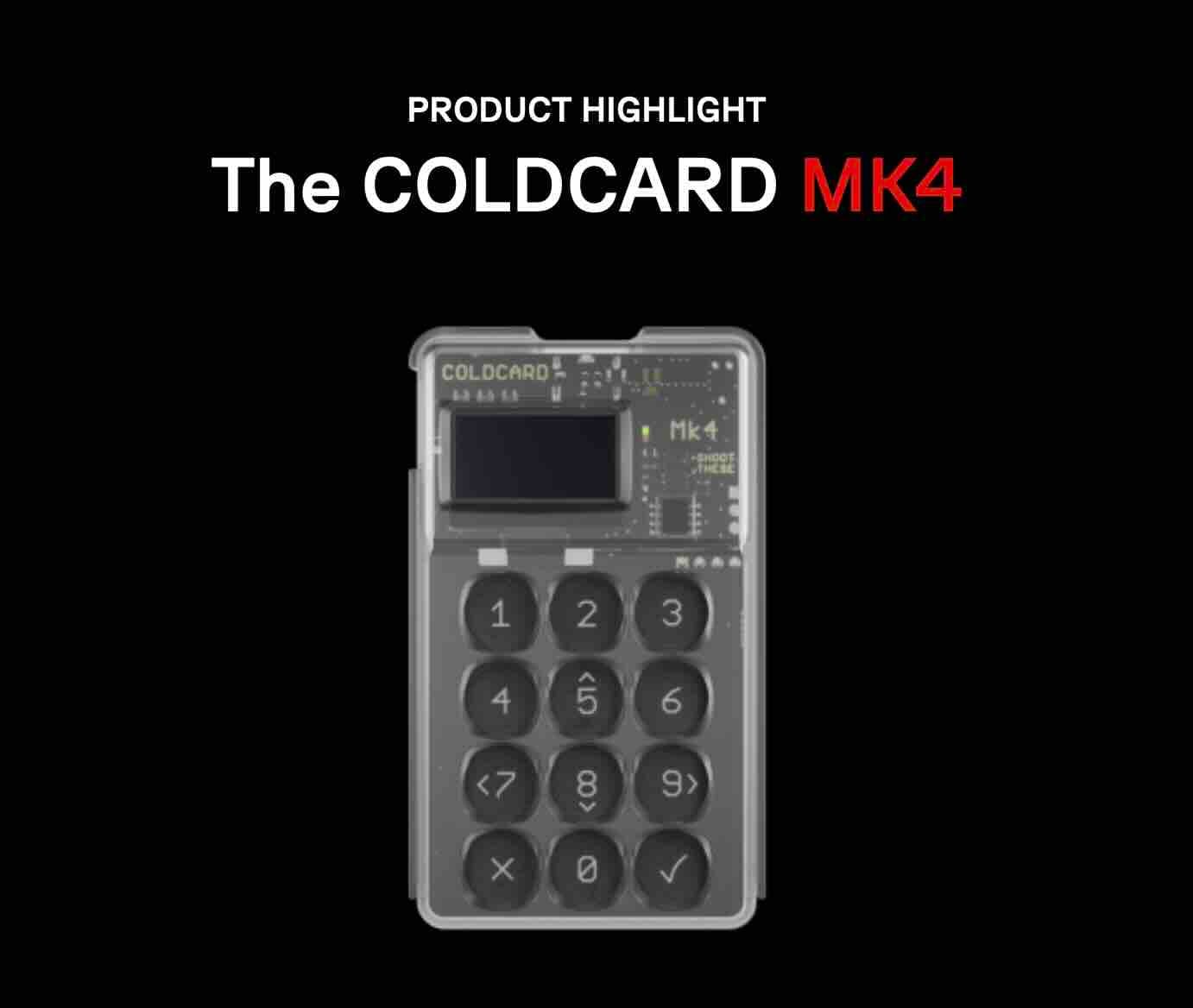
No Touchscreen (Mk4): The Mk4 uses physical buttons like an old calculator. Some users find the buttons mushy or unresponsive—reviews mention presses not registering 5-20% of the time. The Q model fixes this with a proper touchscreen interface.
Questionable Build Quality (Mk4): For $178, some users expected more premium materials. The plastic feels cheap to some, and the buttons can be finicky. Again, the Q model addresses these concerns with better construction.
Using Coldcard: The Setup Experience
Setting up Coldcard is... thorough. Here's what you're in for:
- Unbox and Verify: Check the tamper-evident bag number matches the circuit board number. Inspect the transparent case for any signs of tampering.
- Create Your PIN: Enter a PIN using the keypad. Coldcard shows you two anti-phishing words—memorize these forever.
- Generate Seed: Coldcard creates your 24-word recovery phrase using multiple entropy sources. You can add dice rolls if desired. Write these words down on the provided card. This is your master backup—lose it, and your Bitcoin is gone forever.
- Optional Passphrase: Add an additional "25th word" passphrase for extra security. This protects your seed even if someone finds your 24 words.
- Test Recovery: Coldcard makes you verify you wrote down the seed correctly by testing recovery before allowing use. Smart move.
- Configure Security: Set up your duress PIN, brick me PIN, login countdown, and other paranoia features.
- Pair With Wallet Software: Connect to Sparrow, Electrum, or your preferred Bitcoin wallet to manage transactions.
The whole process takes 30-60 minutes and feels serious—like you're configuring a safe deposit box, not just downloading an app. That's intentional.
Performance: Does It Actually Work Well?
Transaction Signing: Fast and reliable once set up. Air-gapped signing via microSD takes a few extra seconds but the security trade-off is worth it.
Air-Gapped Mode: Works brilliantly once you understand the workflow. Move PSBT files between computer and Coldcard via microSD. Never connect to the internet. Beautiful.
NFC Transactions: The Mk4's NFC works well for quick phone-based transactions. Tap and sign. Simple.
Display Quality: The Mk4's 0.80" screen is... tiny. Verifying addresses in air-gapped mode can be challenging due to small text. The Q's 3.2" display is a massive improvement.
Button Responsiveness (Mk4): Multiple reviews mention button presses occasionally not registering, requiring multiple presses. This is annoying but not deal-breaking. The Q's touchscreen eliminates this issue entirely.
Battery Life: The Mk4 doesn't have a battery—it's powered via USB or power adapter. The Q runs on 3xAAA batteries, offering true wireless operation for weeks.
Compatibility: Works With All Major Bitcoin Wallets
Coldcard plays nice with virtually every serious Bitcoin wallet:
- Sparrow Wallet: The most popular choice, excellent interface
- Electrum: Classic desktop wallet with full PSBT support
- Specter Desktop: Great for multisig setups
- Nunchuk: Mobile-friendly collaborative custody
- Wasabi Wallet: For privacy-focused users
- BlueWallet: Simple mobile option
- BTCPay Server: For merchants
- Specter-DIY: Open-source signing device coordination
This compatibility is possible thanks to the PSBT standard (BIP174), which Coldcard pioneered in hardware wallet implementation.
Advantages: Why Coldcard Rules
Uncompromising Security: Dual secure elements, air-gapped operation, trick PINs, anti-phishing—Coldcard goes further than any competitor.
Bitcoin-Only Focus: No distractions, no attack surface from supporting dozens of altcoins. The entire device is optimized for Bitcoin.
True Offline Operation: You can operate Coldcard without EVER connecting to an internet-enabled device. This is rare and valuable.
Open Source & Transparent: All code is public, auditable, and reproducible. The Bitcoin community has verified everything.
Advanced Features: Multisig support, dice-roll entropy, seed XOR splitting, paper wallet export, PSBT workflows—power users have endless options.
Physical Security: Transparent case, epoxy-protected components, numbered bags, anti-phishing words—physical attacks are considered and mitigated.
No Account, No Email: Just generate your seed and go. Coldcard doesn't know who you are or track you.
Honest Limitations: Coinkite doesn't overpromise. No warranty claims of perfection, no marketing fluff—just honest engineering.
Disadvantages: The Real Talk
Bitcoin Only: If you hold ETH, tokens, or other coins, you need another wallet. Period.
Steep Learning Curve: Not beginner-friendly. If "air-gapped PSBT workflow" sounds like alien language, you'll struggle initially.
Mk4 Build Quality: For the price, some expect more premium materials. Buttons can be mushy. Plastic feels cheap to some users.
Tiny Mk4 Screen: The 0.80" display makes address verification in air-gapped mode challenging. Small font, easy to misread.
No USB Cable Included: Really, Coinkite? For $178, throw in a cable.
Limited Customer Support: Coinkite offers email support but it's not always super responsive. The community forums are often more helpful.
No Official Warranty: Coinkite's terms essentially say "we don't warrant anything." You're buying as-is.
Requires Compatible Wallet Software: You need third-party software (Sparrow, Electrum, etc.) to use Coldcard. It doesn't work standalone.
More Expensive: Costs more than entry-level alternatives, plus you'll need accessories.
Coldcard Mk4 vs. Coldcard Q: Which One?
Choose the Mk4 if:
- You want maximum security at a lower price
- You're comfortable with small screens and button interfaces
- You primarily use desktop-based workflows
- $178 is your budget
Choose the Q if:
- You want the best user experience alongside top security
- The big touchscreen and QR scanner appeal to you
- You need to enter long passphrases frequently
- You want wireless operation via batteries
- You're doing collaborative multisig or advanced workflows
- The extra $72 is worth the improved usability
Honestly? If you can afford it, the Q is worth the premium. The improved screen, QR capabilities, and overall experience make Bitcoin management significantly more pleasant while maintaining identical security.
Who Should Buy Coldcard?
Perfect for:
- Bitcoin maximalists holding BTC only
- Security-conscious users who value protection above convenience
- Long-term Bitcoin holders storing significant amounts
- Users in high-risk situations (activists, journalists, high-net-worth individuals)
- Tech-savvy folks comfortable with command-line thinking
- Multisig participants needing collaborative custody
- Anyone who wants military-grade security for their Bitcoin
Not ideal for:
- Complete crypto beginners needing hand-holding
- Multi-coin holders with diverse portfolios
- Users who prioritize convenience over security
- People wanting an all-in-one app-based experience
- Those on tight budgets looking for cheapest option
- Anyone intimidated by technical security concepts
Coldcard vs. The Competition
Coldcard vs. Ledger: Ledger supports 5,500+ cryptocurrencies and has beautiful hardware. Coldcard supports Bitcoin only and looks like a calculator. Ledger is convenience-focused. Coldcard is security-obsessed. If you want multi-coin support and slick design, get Ledger. If you want maximum Bitcoin security, get Coldcard.
Coldcard vs. Trezor: Trezor offers multi-coin support and excellent user interfaces. Coldcard offers Bitcoin-only paranoia features. Trezor has had publicized physical attack vulnerabilities. Coldcard has not. Choose Trezor for diversity and ease of use. Choose Coldcard for hardcore Bitcoin security.
Coldcard vs. Foundation Passport: Foundation Passport offers similar air-gapped security with more premium build quality. It's also Bitcoin-only and fully open-source. Passport feels more luxurious. Coldcard has more years in the field and more extensive documentation. Both are excellent choices—Passport wins on aesthetics, Coldcard on features and track record.
Coldcard vs. Jade: Jade is cheaper ($65) and supports both Bitcoin and altcoins. It's a great budget option with solid security. Coldcard is more expensive but offers deeper security features and Bitcoin-specific optimizations. Choose Jade if budget matters. Choose Coldcard if security matters most.
Final Verdict: The Bitcoin Vault You Can Trust
Coldcard isn't for everyone. Let's be crystal clear about that. If you want something simple, pretty, and multi-functional, look elsewhere. If you hold $200 worth of crypto for fun, this wallet is overkill.
But if you're serious about Bitcoin—if you understand that holding your own keys means taking security seriously—Coldcard is hands-down one of the best options on the market.
The dual secure elements, air-gapped operation, trick PINs, and open-source transparency make Coldcard the gold standard for Bitcoin storage. This is the wallet recommended by hardcore Bitcoiners, security researchers, and privacy advocates. There's a reason for that.
Yes, the Mk4's build quality could be better. Yes, the learning curve is steep. Yes, it costs more than budget alternatives. But you're not buying convenience—you're buying security that actually works.
The fact that Coldcard has never had a major security breach, combined with its transparent open-source development and community vetting, speaks louder than marketing claims ever could.
Bottom line: If Bitcoin is a significant part of your wealth and you want to store it with maximum security, Coldcard Mk4 or Q should be at the top of your list. It's the wallet for people who take "not your keys, not your coins" seriously and aren't willing to compromise on security for convenience.
Your Bitcoin deserves the best protection available. Coldcard delivers that protection—no frills, no compromises, just hardcore security done right.
Frequently Asked Questions
Q: Is Coldcard really the most secure Bitcoin wallet?
Coldcard is widely considered one of the most secure Bitcoin hardware wallets available, thanks to dual secure elements from different vendors, air-gapped operation, open-source firmware, and extensive physical security features. No wallet can claim to be 100% unhackable, but Coldcard's track record and security model are top-tier.
Q: Can I use Coldcard for Ethereum or other cryptocurrencies?
No. Coldcard is Bitcoin-only. It doesn't support Ethereum, tokens, or any other cryptocurrency. This is by design—the Bitcoin-only focus allows deeper security optimization and eliminates attack surfaces from supporting multiple blockchains.
Q: Do I need to connect Coldcard to my computer?
No! This is one of Coldcard's best features. You can operate it completely air-gapped using microSD cards, NFC (Mk4), or QR codes (Q model) to sign transactions. Your Coldcard never needs to touch an internet-connected device.
Q: What happens if I lose my Coldcard?
Your Bitcoin is safe as long as you have your 24-word seed phrase backed up. Buy a new Coldcard (or any BIP39-compatible wallet), enter your seed phrase, and you'll restore full access to your funds. This is why securely storing your seed phrase is critical.
Q: Can someone force me to unlock my Coldcard?
This is where the duress PIN feature shines. You can create a fake PIN that opens a decoy wallet containing a small amount of Bitcoin. Under duress, you enter this PIN—attackers think they got your funds, but your real Bitcoin remains hidden under your main PIN.
Q: What's the "Brick Me" PIN for?
The brick me PIN permanently destroys the secure element chip, rendering the device useless forever. This is an extreme security measure for situations where you need to ensure nobody can ever access your wallet—like during government seizure or hostile border crossing. Use only as a last resort.
Q: Is Coldcard difficult to use?
For beginners, yes—there's a learning curve. The device requires understanding concepts like PSBTs, air-gapped signing, and proper seed phrase management. However, for anyone willing to read the documentation and follow tutorials, the setup process is manageable. The Q model's touchscreen makes everything significantly easier.
Q: Does Coldcard work with my favorite Bitcoin wallet?
Probably! Coldcard supports all major Bitcoin wallets that implement the PSBT standard (BIP174), including Sparrow Wallet, Electrum, Specter, Nunchuk, BlueWallet, Wasabi, and many others. Check the documentation for your specific wallet.
Q: Why doesn't Coldcard include a USB cable?
Great question—we wonder the same thing. Coinkite's reasoning is that users might want specific cable lengths or types. You'll need to purchase a USB-C cable separately, either from Coinkite ($16.99) or elsewhere.
Q: Should I buy the Mk4 or wait for a Mk5?
The Mk4 is mature, battle-tested hardware with years of proven security. Unless you need the Q's specific features (QR scanner, bigger screen), the Mk4 is an excellent choice right now. Coinkite hasn't announced an Mk5, and the Q represents their current flagship model.
Q: Can Coldcard be hacked remotely?
Not if used in air-gapped mode. When operating without connecting to computers or phones, there's no attack surface for remote hacking. Even when connected via USB, the secure elements protect your keys, and malware on your computer can't extract them.
Q: How do I verify my Coldcard hasn't been tampered with?
Check that the numbered bag matches the number permanently labeled on the circuit board (visible through the transparent case). Inspect the bag for signs of opening. Verify your anti-phishing words appear correctly when entering your PIN. Check that epoxy resin covering internal components looks undisturbed.
Q: What if I forget my PIN?
After 13 failed PIN attempts, Coldcard wipes itself. However, your Bitcoin isn't lost—just restore your seed phrase on a new device and create a new PIN. Never lose your seed phrase.
Q: Is Coldcard Q worth the extra $72 over Mk4?
If you value user experience, absolutely. The Q's large touchscreen, QR scanner, QWERTY keyboard, and dual SD card slots make Bitcoin management significantly more pleasant. For security alone, the Mk4 is sufficient. For security plus great UX, the Q is worth it.
Q: Can I use Coldcard offline permanently?
Yes! This is precisely how many users operate it. Generate your seed offline, receive Bitcoin to addresses exported via microSD, and sign transactions air-gapped. The device never needs internet connectivity.
Q: Does Coldcard support multisig?
Absolutely. Coldcard has excellent multisig support and can participate in collaborative custody setups with other Coldcards or different wallet types. It's one of the best options for multisig cold storage.
Q: Why are Coldcard users so obsessed with security?
Because Bitcoin is irreversible and self-custodied. There's no bank to call if funds are stolen, no charge-back option, no recovery department. Once your Bitcoin is gone, it's gone forever. This reality makes serious security measures not just reasonable but essential.
Q: Where should I buy my Coldcard?
Always buy directly from Coinkite's official store (store.coinkite.com) or authorized resellers listed on their website. Never buy used or from unknown third parties—tampered devices are a real risk.
Q: What's the warranty on Coldcard?
Honestly? There effectively isn't one. Coinkite's terms state they don't warrant the products will be error-free or meet expectations. You're buying a security device as-is. That said, they're responsive to legitimate manufacturing defects.
Q: Can I wipe and reuse a Coldcard?
Yes. You can destroy the current seed and generate a new one, or restore a different seed. The device can be completely reconfigured. However, don't buy used Coldcards—always purchase new from official sources.
