


In a crowded market of cryptocurrency wallets, BlueWallet has built a solid reputation among Bitcoin users. Born during the chaotic 2017 fork wars, this open-source wallet was created by Bitcoin enthusiasts who couldn't find a mobile wallet that met their needs.
But is it actually any good? And more importantly, is it right for you? Let's break down what BlueWallet offers, who it's for, and whether it lives up to the hype.
What Is BlueWallet?
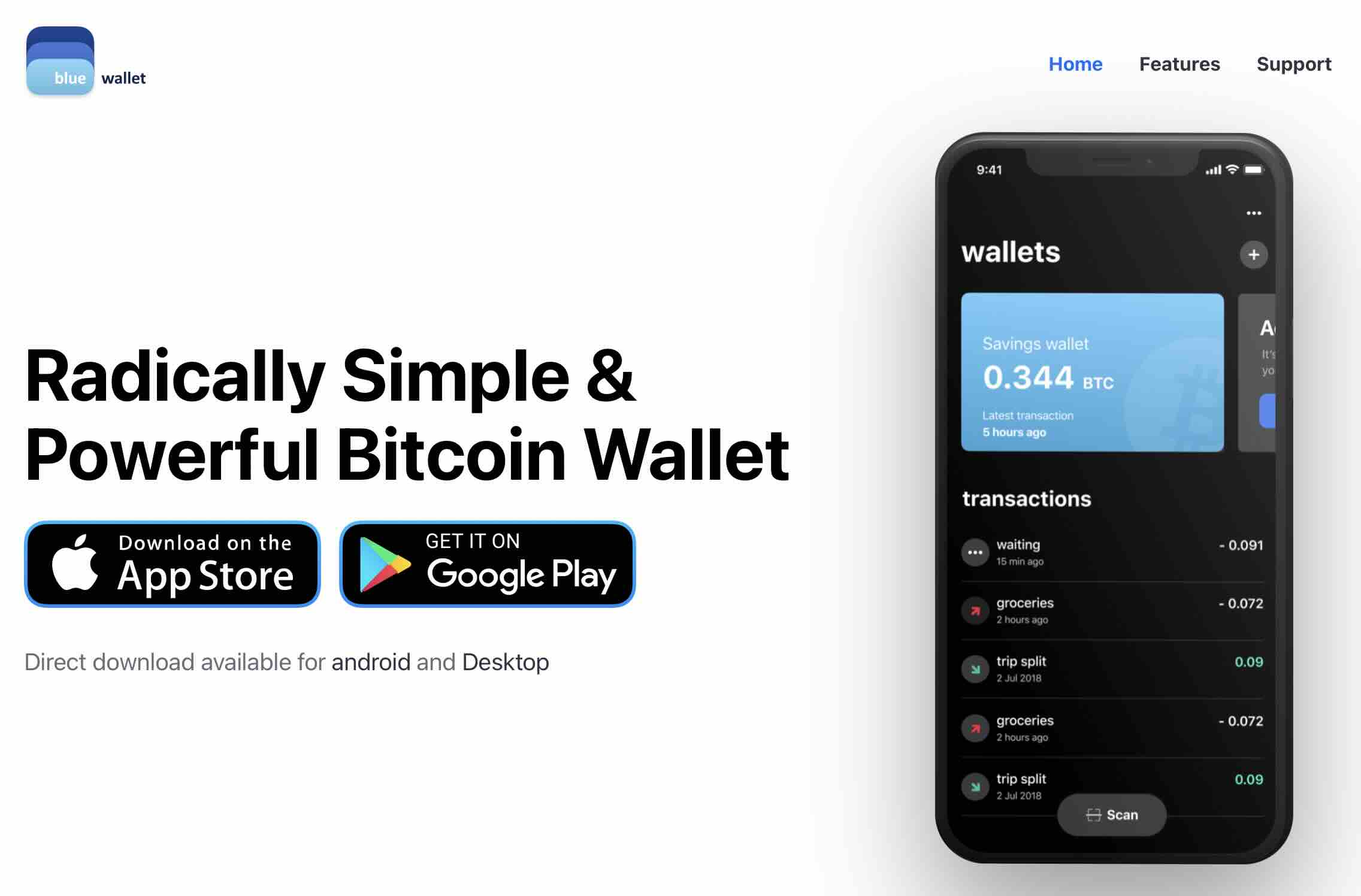
BlueWallet is a free, open-source, Bitcoin-only mobile wallet available on iOS, Android, and macOS. Created in 2017 by Igor Kosakov, Nuno Coelho, and Marcos Rodriguez, it emerged as one of the first Bitcoin-only wallets offering full control over transaction fees on iOS.
The wallet takes a focused approach: Bitcoin only. No support for altcoins, no NFT features, no unnecessary bells and whistles. Whether that's a strength or limitation depends on your needs.
It's non-custodial for on-chain transactions, meaning you control your private keys. The wallet also supports both regular Bitcoin transactions and the Lightning Network for faster, cheaper payments.
What BlueWallet Gets Right
1. Lightning Network Integration
BlueWallet offers Lightning Network support, allowing for near-instant, low-cost Bitcoin payments. You can create a dedicated Lightning wallet in a few taps and start transacting quickly.
The wallet integrates with LNDHub, so you don't need to run your own Lightning node to get started. There's also a Lightning-powered app marketplace built in.
The catch: By default, the Lightning wallet is custodial, meaning BlueWallet technically holds the keys to your Lightning funds. For small spending amounts this is acceptable, but it's worth noting for larger sums. Advanced users can connect to their own LNDHub node for full control.
2. Balance of Simplicity and Features
BlueWallet aims to be accessible for beginners while offering depth for experienced users.
The basic interface is clean and straightforward. Creating a wallet takes a few taps, and core functions like sending and receiving are easy to navigate.
For those who want more control, enabling "Advanced Mode" unlocks features like:
- Batch transactions - Send to multiple addresses in one transaction to save on fees
- Coin control - Choose specific UTXOs to spend
- Replace-By-Fee (RBF) - Adjust transaction fees after sending
- Child-Pays-For-Parent (CPFP) - Speed up incoming transactions
- Custom fee settings - Control transaction priority and costs
Whether this balance works for you depends on your experience level and needs.
3. Multiple Wallet Types in One App
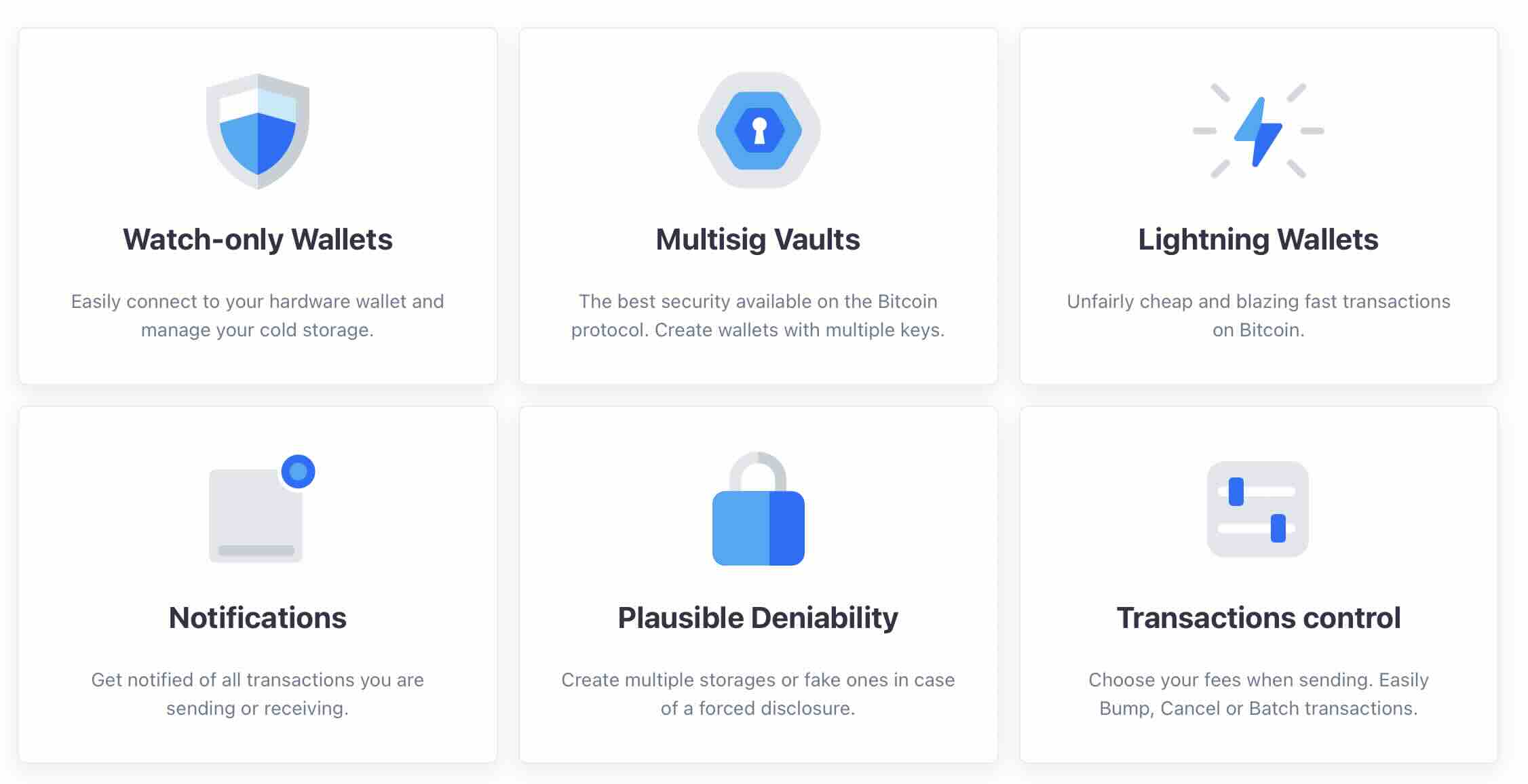
BlueWallet isn't just one wallet—it's a Swiss Army knife for Bitcoin storage:
- Standard Bitcoin wallets - HD, SegWit-enabled by default
- Lightning wallets - For instant, cheap payments
- Multi-signature vaults - Extra security requiring multiple keys to spend
- Watch-only wallets - Monitor cold storage without exposing private keys
- Legacy & custom wallets - Import from Electrum, Bread, and others
You can create unlimited wallets, each with its own settings and security level. Keep your savings in a multi-sig vault, your spending money in a Lightning wallet, and monitor your hardware wallet—all in one app.
4. Open Source and Security Features
BlueWallet's code is fully open source and available on GitHub under an MIT license. This allows for community review and auditing, though it doesn't guarantee security on its own.
Key security features include:
- Encryption - Wallets encrypted on your device
- Plausible deniability - Option to create a "decoy" wallet with a different password
- Hardware wallet support - Compatible with Coldcard, Ledger, Trezor, and other PSBT-enabled devices
- SegWit by default - More efficient transactions with lower fees
- Hierarchical Deterministic (HD) wallets - Generates new addresses for improved privacy
As a non-custodial wallet for on-chain transactions, your private keys stay on your device. BlueWallet doesn't have access to your funds.
5. Option to Connect to Your Own Node
BlueWallet allows you to connect to your own Bitcoin full node through Electrum Personal Server (EPS), ElectrumX, or Electrs.
This gives you the ability to verify transactions yourself rather than trusting BlueWallet's servers. For users who prioritize sovereignty and privacy, this is a valuable option, though it requires running your own infrastructure.
 Nakamoto Builder
6. Privacy Features
BlueWallet includes several privacy-oriented features:
- HD wallets generate new addresses for each transaction
- Coin control allows you to manage which UTXOs to spend
- Batch transactions can help with transaction privacy
- Tor support when connecting to your own node
These features provide basic privacy tools, though BlueWallet isn't marketed as a privacy-focused wallet like Wasabi or Samourai.
6. Privacy Features
BlueWallet includes several privacy-oriented features:
- HD wallets generate new addresses for each transaction
- Coin control allows you to manage which UTXOs to spend
- Batch transactions can help with transaction privacy
- Tor support when connecting to your own node
These features provide basic privacy tools, though BlueWallet isn't marketed as a privacy-focused wallet like Wasabi or Samourai.
7. Security Considerations
Understanding how BlueWallet handles security is crucial before trusting it with your Bitcoin.
What BlueWallet Does Well:
- Private keys stay local - Your keys are stored only on your device, never sent to BlueWallet's servers
- Encryption at rest - All wallets are encrypted with AES-256 encryption using a password you set
- Seed phrase backup - Standard 12 or 24-word mnemonic following BIP39 for recovery
- Open source code - Available on GitHub for community review and auditing
- No data collection - No email, phone number, or personal information required
- Biometric protection - Support for Face ID, Touch ID, or fingerprint unlock
- Plausible deniability - Ability to create decoy wallets with separate passwords
Security Limitations to Know:
- No 2FA - Unlike some wallets, there's no two-factor authentication option
- Hot wallet risks - Being connected to the internet makes it vulnerable to malware, keyloggers, or device compromise
- Lightning is custodial - By default, BlueWallet holds keys for Lightning wallets (unless you run your own LNDHub)
- Mobile device security - Security depends heavily on your phone's security (screen lock, OS updates, etc.)
- No passphrase option - Some wallets allow a BIP39 passphrase (25th word) for extra security, BlueWallet doesn't
Who Is BlueWallet For?
Good fit for:
✓ Bitcoin-only users who don't need altcoin support
✓ Lightning Network users looking for easy access to fast payments
✓ Users wanting control over transaction fees and UTXOs
✓ Hardware wallet owners who need a mobile companion app
✓ Those comfortable with tech who can navigate advanced features
✓ Node runners who want to connect to their own infrastructure
Probably not ideal for:
✗ Complete beginners - Limited educational resources and hand-holding
✗ Multi-coin holders - Bitcoin-only, no altcoin support ( 😄)
✗ Users needing maximum security - It's a hot wallet, not cold storage
✗ Those wanting built-in exchanges - No native fiat on-ramps (though integrations exist)
✗ Users requiring 2FA - Two-factor authentication is not supported
Where BlueWallet Falls Short
No wallet is perfect. Here are BlueWallet's main limitations:
No Two-Factor Authentication (2FA)
BlueWallet doesn't support 2FA, which is increasingly common in cryptocurrency wallets. Your security relies on device security, encryption passwords, and proper seed phrase backup.
For many users this isn't a dealbreaker, but it's worth considering if 2FA is a requirement for you.
Limited Educational Resources
BlueWallet provides basic setup guides but lacks comprehensive tutorials or educational content. If you're new to Bitcoin, you'll need to learn the basics elsewhere before making full use of the wallet's features.
Lightning Wallet Is Custodial by Default
The Lightning implementation uses a custodial model unless you connect to your own LNDHub node. This means BlueWallet holds the keys to your Lightning funds by default.
For small spending amounts this is a reasonable trade-off for convenience. For larger amounts, keep funds in on-chain wallets where you have full control.
It's a Hot Wallet
As a mobile wallet connected to the internet, BlueWallet is inherently more vulnerable than hardware wallets or air-gapped solutions.
For significant amounts, consider using BlueWallet in watch-only mode to monitor cold storage held on a hardware device.
How to Get Started
Getting started with BlueWallet is ridiculously easy:
- Download the app from the App Store (iOS), Google Play (Android), or the official website (macOS)
- Create a wallet - Tap "Add now" and choose Bitcoin or Lightning
- Backup your seed phrase - Write down your 12-word recovery phrase on paper or metal (NEVER digitally)
- Start using Bitcoin - Receive, send, and manage your funds
Pro tip: Set up biometric authentication (Face ID / fingerprint) for quick access, and enable an encryption password for extra security.
Pricing & Fees
BlueWallet itself is completely free. No subscription, no hidden fees, no premium tiers.
You'll only pay:
- Network fees (miner fees) when sending Bitcoin on-chain
- Lightning routing fees (usually fractions of a cent)
- Third-party service fees if you use integrated services like MoonPay or Hodl Hodl
BlueWallet gives you full control over transaction fees. Choose fast, medium, or slow depending on your urgency. The app even supports fee bumping if you change your mind.
How BlueWallet Compares to Other Mobile Wallets
Here's how BlueWallet stacks up against other popular mobile Bitcoin wallets:
| Feature | BlueWallet | Muun | Phoenix | Electrum Mobile | Cake Wallet |
|---|---|---|---|---|---|
| Platform | iOS, Android, macOS | iOS, Android | iOS, Android | iOS, Android | iOS, Android |
| Bitcoin Only | ✅ Yes | ✅ Yes | ✅ Yes | ✅ Yes | ❌ No (Multi-coin) |
| Lightning Support | ✅ Yes (custodial) | ✅ Yes (non-custodial) | ✅ Yes (non-custodial) | ❌ No | ❌ No |
| Non-Custodial (On-chain) | ✅ Yes | ✅ Yes | ✅ Yes | ✅ Yes | ✅ Yes |
| Open Source | ✅ Yes | ✅ Yes | ✅ Yes | ✅ Yes | ✅ Yes |
| Multi-Sig Support | ✅ Yes | ❌ No | ❌ No | ✅ Yes | ❌ No |
| Hardware Wallet Support | ✅ Yes | ❌ No | ❌ No | ✅ Yes | ❌ No |
| Watch-Only Wallets | ✅ Yes | ❌ No | ❌ No | ✅ Yes | ❌ No |
| Connect Own Node | ✅ Yes | ❌ No | ❌ No | ✅ Yes | ✅ Yes (XMR) |
| Coin Control | ✅ Yes | ❌ No | ❌ No | ✅ Yes | ✅ Yes |
| Batch Transactions | ✅ Yes | ❌ No | ❌ No | ✅ Yes | ❌ No |
| Two-Factor Auth | ❌ No | ❌ No | ❌ No | ❌ No | ❌ No |
| Privacy Features | Medium | Low | Low | High | High (Monero) |
| Best For | Bitcoin all-around | Simple Lightning | Lightning-first | Advanced users | Multi-coin holders |
| Learning Curve | Medium | Low | Low | High | Low-Medium |
| Fee Control | Advanced | Automatic | Automatic | Advanced | Medium |
Key Takeaways:
- BlueWallet offers the most complete feature set for general Bitcoin use, combining Lightning, multi-sig, and advanced controls
- Muun and Phoenix are simpler but focus primarily on Lightning with less flexibility for on-chain management
- Electrum is more technical and lacks Lightning support
The Verdict: Is BlueWallet Worth Using?
BlueWallet is a solid, focused Bitcoin wallet that delivers on its core promise: giving you control over your Bitcoin with a clean interface and useful features.
Strengths:
- Clean, intuitive design that scales from basic to advanced use
- Solid Lightning Network integration for fast payments
- Open source with good security features
- Multiple wallet types in one app
- Free and no KYC requirements
Weaknesses:
- No two-factor authentication
- Custodial Lightning wallet by default
- Limited educational resources
- Bitcoin-only (which may be a strength or limitation depending on your needs)
- As a hot wallet, not suitable as primary storage for large amounts
Bottom line: BlueWallet is a capable mobile Bitcoin wallet that works well for its intended use cases. Whether it's right for you depends on your specific needs, technical comfort level, and how you plan to use it.
For Lightning payments, managing multiple Bitcoin wallets, or as a companion to hardware wallets, it's a solid choice. For absolute beginners or those needing multi-coin support, other options might be more suitable.
The best approach? Download it, test it with small amounts, and see if it fits your workflow.
Official Website: bluewallet.io
Platforms: iOS, Android, macOS
Cost: Free
License: Open Source (MIT)
Type: Non-custodial (on-chain) / Custodial (Lightning by default)
Looking for more Bitcoin tools? Check out our complete directory of wallets, Lightning services, and Bitcoin infrastructure at Bitcoin-Builder.com
