


Choosing a Bitcoin wallet isn't about finding the 'best' option, it's about understanding the fundamental trade-offs between security, convenience, and sovereignty.
With Bitcoin reaching new adoption milestones and regulatory landscapes shifting globally, the stakes for proper self-custody have never been higher. Whether you're securing generational wealth, managing daily spending, or exploring Bitcoin for the first time, your wallet choice directly impacts your financial sovereignty.
This guide cuts through the marketing hype to deliver what you actually need: honest comparisons, real-world use cases, and professional recommendations based on your specific needs.
What this guide covers:
- Hardware wallets: Maximum security for long-term storage
- Desktop wallets: Full sovereignty with advanced features
- Mobile wallets: Convenience for everyday transactions
- Security comparison matrix
- Recommended setups by user profile
- Common mistakes that cost people their Bitcoin
Understanding the wallet landscape
The brutal truth about wallet security: No wallet is 100% secure. Hardware wallets can be physically compromised. Desktop wallets are vulnerable to malware. Mobile wallets can be lost or stolen. The question isn't 'which is perfectly safe', it's 'which risks am I willing to accept for my use case?'
Why These Categories Matter
- Hardware wallets eliminated the "hot wallet dilemma." You can transact without exposing keys to internet-connected devices. Coldcard's air-gapped model is the pinnacle: sign transactions via SD card or QR code, never connect to a computer. Every other option is a compromise.
- Desktop wallets give you full sovereignty. Running your own node, coordinating hardware wallets, advanced features like coin control and multisig, this is where serious bitcoiners operate.
- Mobile wallets made Bitcoin actually usable for payments. Lightning finally works on mobile. Phoenix and Muun made what seemed impossible three years ago routine: instant payments, sub-cent fees, minimal custody trade-offs.
The Non-Negotiables
Open-source means verifiable security. Every wallet recommended here publishes their code. You can audit it. Security researchers have audited it. Compare that to Coinbase Wallet or Trust Wallet( !) , closed-source black boxes asking for trust.
Bitcoin-only wallets respect your time. No scrolling past Dogecoin. No accidental shitcoin airdrops clogging your interface. No "Swap ETH for BTC with our partner!" pop-ups. Just Bitcoin, as it should be.
PSBT standardization changed everything. Your Coldcard can create a transaction. Your Sparrow can add signatures. Your Foundation can finalize. They don't need to be from the same vendor or even speak the same language, PSBT is the Esperanto of Bitcoin transactions.
Hardware Wallets: Fort Knox for Your Bitcoin
Hardware wallets represent the gold standard for Bitcoin security. By keeping your private keys on a dedicated, offline device, they eliminate the vast majority of remote attack vectors.
Hardware wallets are the most secure option for long-term Bitcoin storage, but they demand responsibility. The device protects your keys from digital threats, you must protect your seed phrase from physical threats. Most "hardware wallet failures" are actually user failures.
Treat your seed phrase like bearer bonds: if someone gets it, your Bitcoin is gone, and no hardware wallet can save you.
1/ BitBox02 Nova - Swiss Precision Meets Simplicity
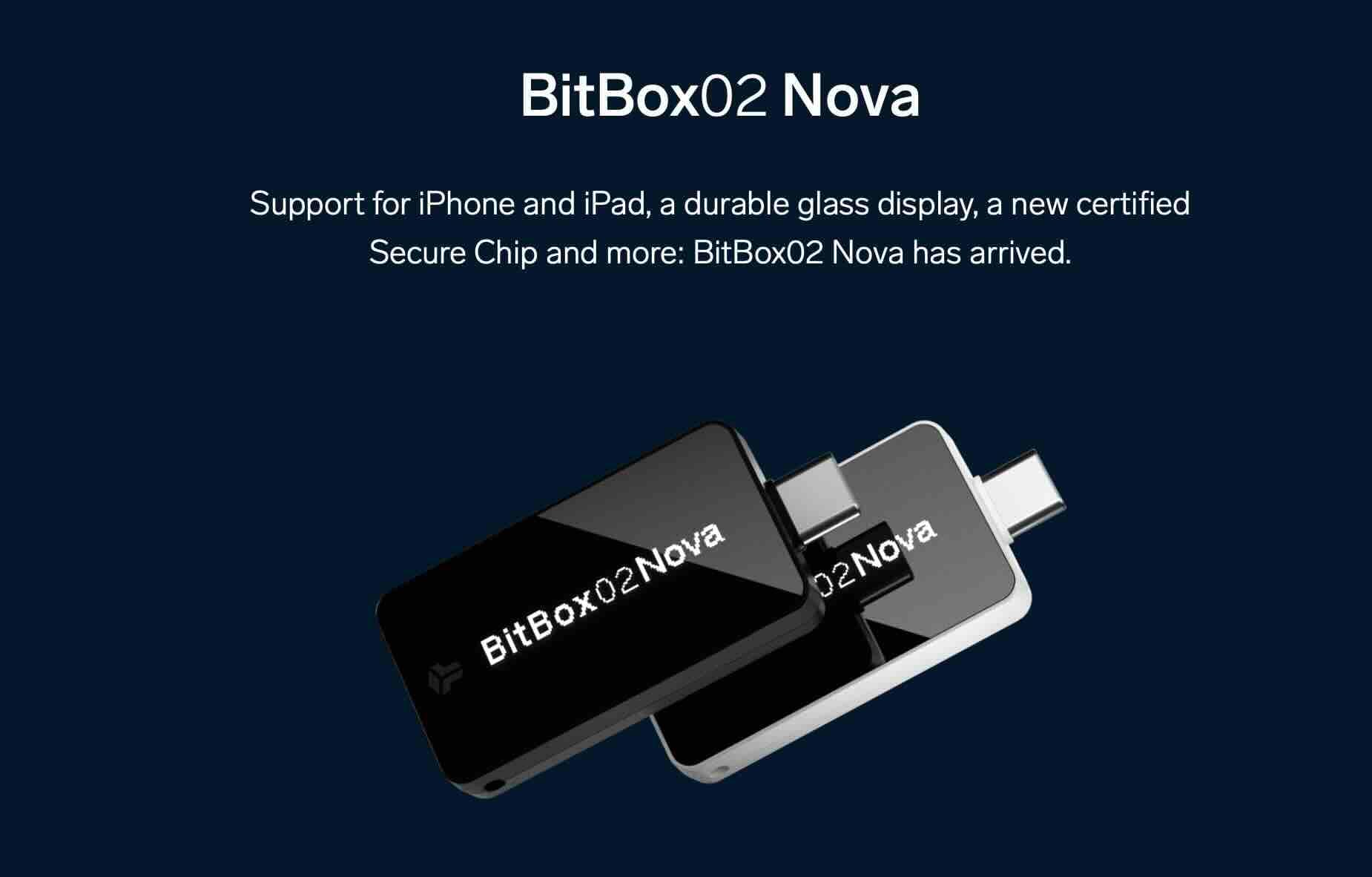
BitBox offers a straightforward approach to Bitcoin custody with its Swiss-engineered hardware wallets. The BitBox02 stands out for its minimalist design, open-source firmware, and microSD card backup system—eliminating the need to write down seed phrases.
Pros:
- MicroSD card backup (no seed phrase writing required)
- Fully open-source firmware
- Bitcoin-only version available
- Dual-chip architecture
- Clean, minimalist design
- Made in Switzerland
Cons:
- Smaller ecosystem than Ledger/Trezor
- Less third-party app support
- Less known brand
Verdict: Built by Shift Crypto with a focus on security and simplicity, it supports Bitcoin-only and multi-coin versions. For those seeking a hardware wallet that balances ease of use with serious security, BitBox delivers without the complexity of larger competitors.
2/ Coldcard Q1 - The King for Serious Bitcoiners
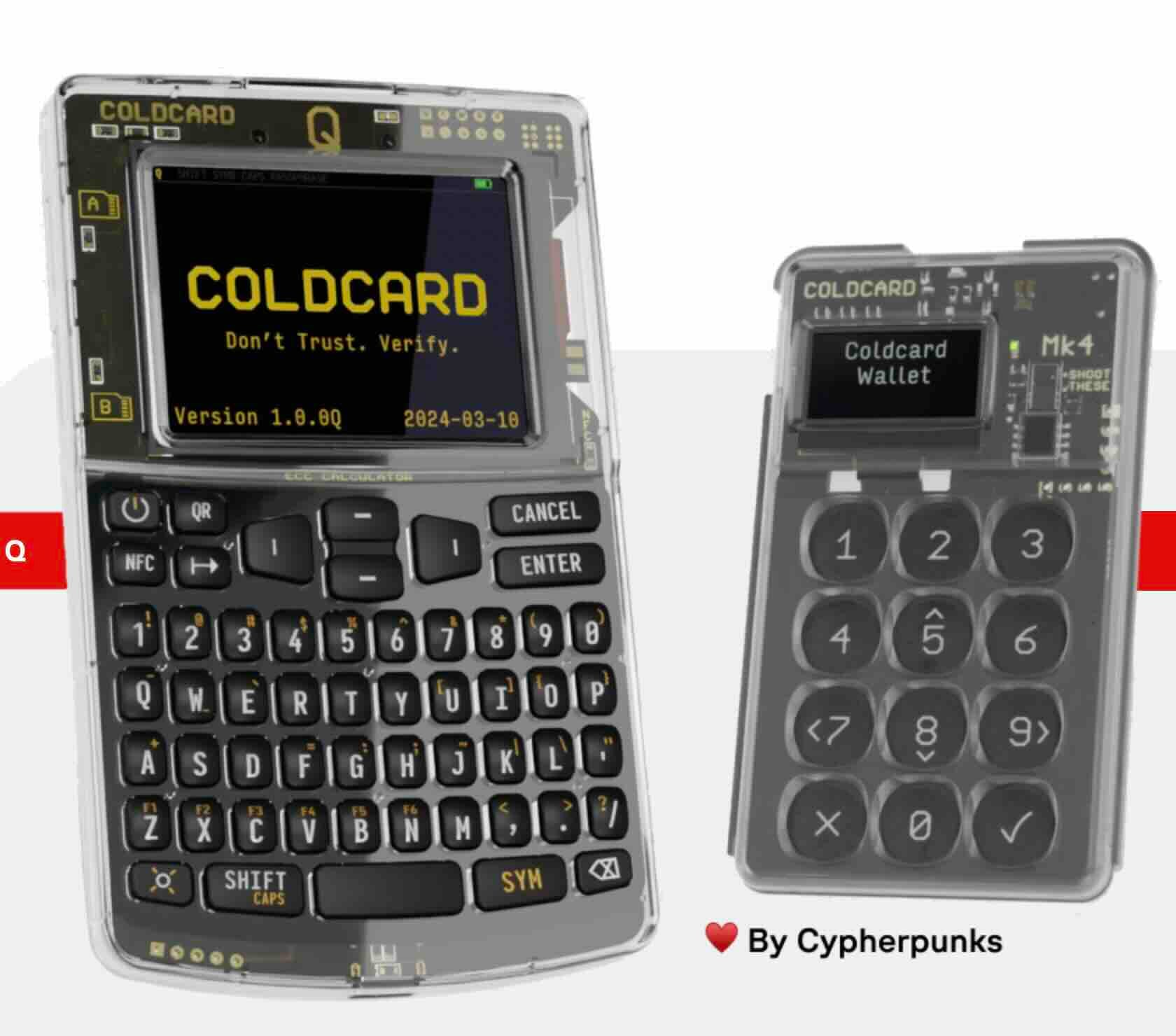
Coldcard Q1 remains the king for serious bitcoiners. Air-gapped, open-source, Bitcoin-only. No shitcoin temptations, no Bluetooth vulnerabilities, no "connect to our app" nonsense.
What's new in Q1:
- Added camera for PSBTs (Partially Signed Bitcoin Transactions)
- Bigger screen for better transaction verification
- Dual secure elements for enhanced protection
Pros:
- Fully air-gapped operation (SD card or QR codes)
- Bitcoin-only firmware (minimal attack surface)
- Trick PINs and duress features
- Open-source hardware and software
- Ultimate sovereignty
Cons:
- UX is clunky (intentionally security-focused)
- Steep learning curve
- Most expensive option
- Industrial design, not elegant
Verdict: Is the UX clunky? Absolutely. Does it keep your Bitcoin secure from every attack vector short of a wrench? Yes. $300 feels steep until you're securing six figures.
Learn more: Complete Coldcard wallet review
Foundation Passport - Luxury Meets Security
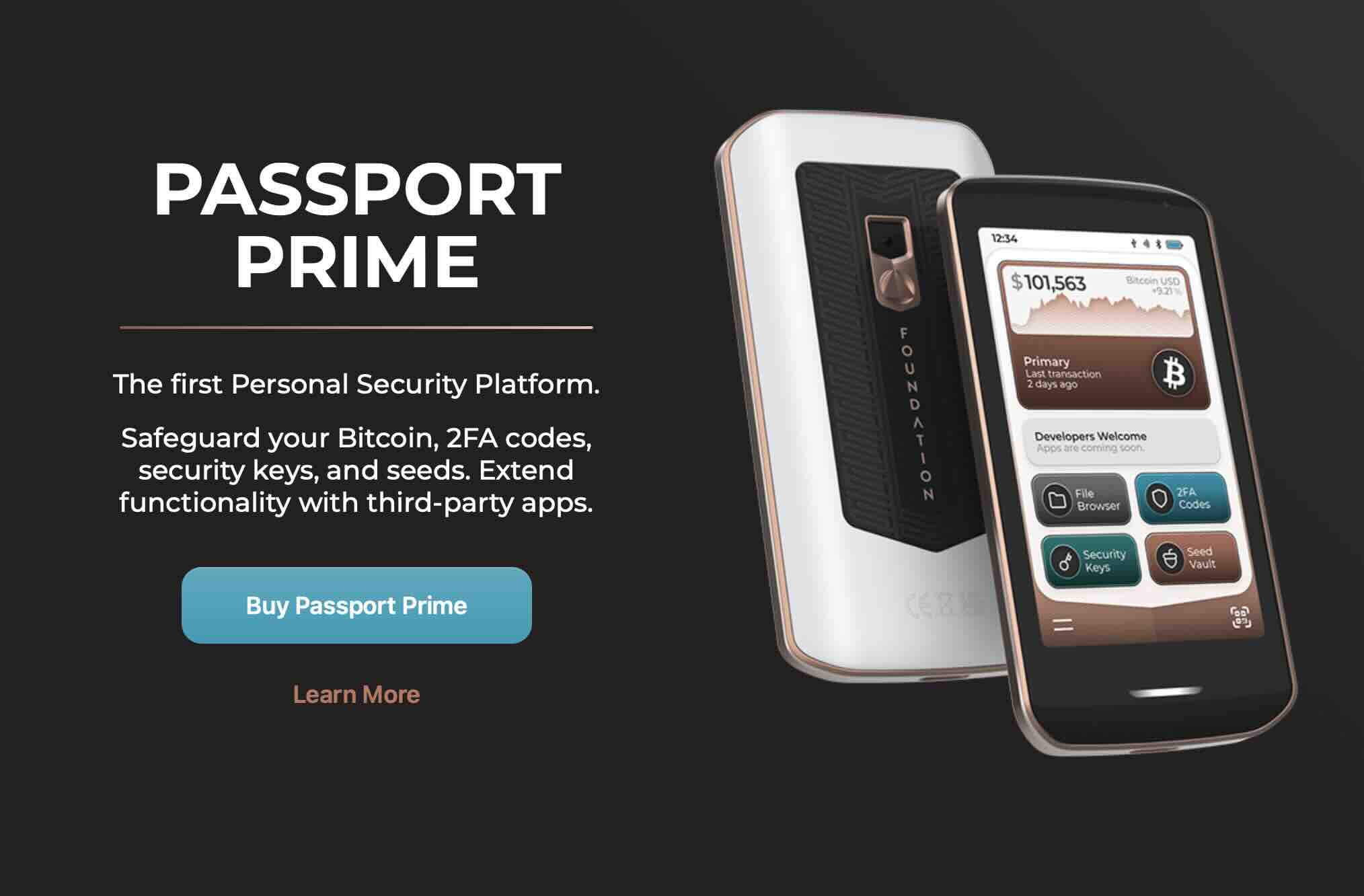
Price: $250
Best for: Those who want cold storage without the learning curve
Foundation Passport is the luxury option. Gorgeous industrial design, fully air-gapped like Coldcard, but with a UX that doesn't make you feel like you're defusing a bomb.
Pros:
- Beautiful industrial design
- Fully air-gapped (camera-based QR workflow)
- Open-source
- Intuitive interface
- Large battery (weeks of use)
- Batch 2 (2024) fixed previous battery issues
Cons:
- $250 price point
- QR workflow can be slow in bright sunlight
- Newer company (less track record than Trezor/Ledger)
Verdict: At $250, it's for bitcoiners who want cold storage without the learning curve. Perfect balance of security and user experience.
Blockstream Jade : The Budget Champion
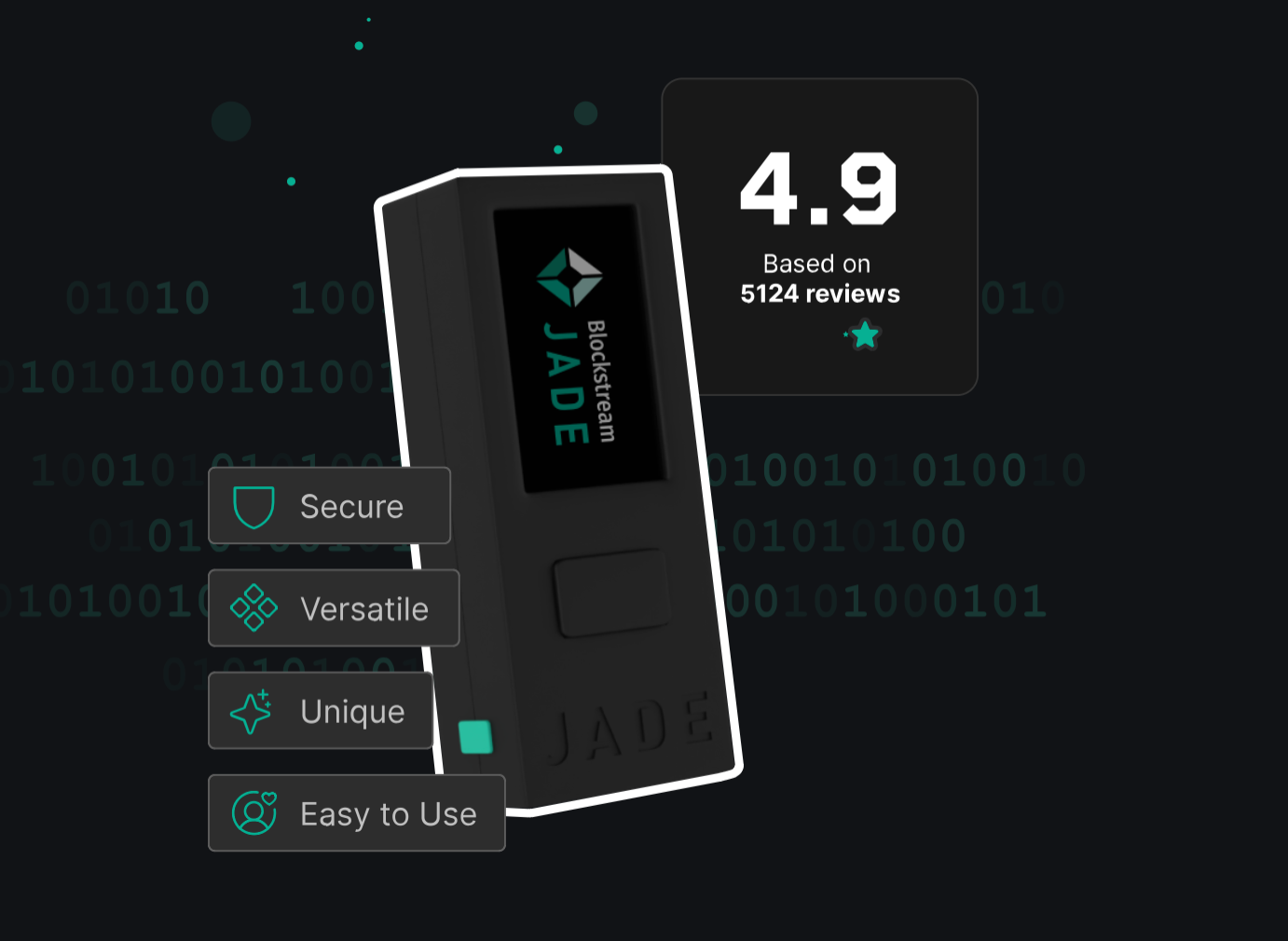
Blockstream Jade hits the sweet spot for most people. $60, open-source, Bitcoin-only, and the setup is actually intuitive.
Pros:
- Extremely affordable ($60)
- Open-source
- Bitcoin-only option
- Intuitive setup
- Solid security model
- From trusted company (Blockstream)
Cons:
- Plastic build feels cheap (because it is)
- "Optional" server PIN backup is controversial
- Basic feature set compared to premium options
Verdict: The "optional" server PIN backup defeats the point for purists—skip that feature, use your own seed backup, and you're golden. The plastic build feels cheap because it is cheap, but the security model is solid.
Ledger & Trezor : The Training Wheels
Ledger Nano X/S Plus: $149 / $79
Trezor Model T/One: $219 / $69
Look, they work. Millions use them. But there are concerns.
Ledger issues:
- "Recover" feature where they can theoretically reconstruct your seed killed credibility with hardcore bitcoiners
- 2020 customer data breach (addresses leaked)
- Closed-source secure element
- Multi-coin bloat increases attack surface
Trezor issues:
- Open-case design means physical access = game over
- Physical extraction attacks possible (requires physical access)
- No secure element (trade-off for open-source)
Verdict: These are training wheels. Fine if you're just starting, but serious holders have better options.
Learn more: Ledger Hardware Wallet Review
Desktop Wallets: Full Sovereignty or Bust
Desktop wallets offer maximum control for active Bitcoin management. They're only as secure as your computer, but for sovereignty and advanced features, nothing beats them.
Sparrow Wallet - The Gold Standard
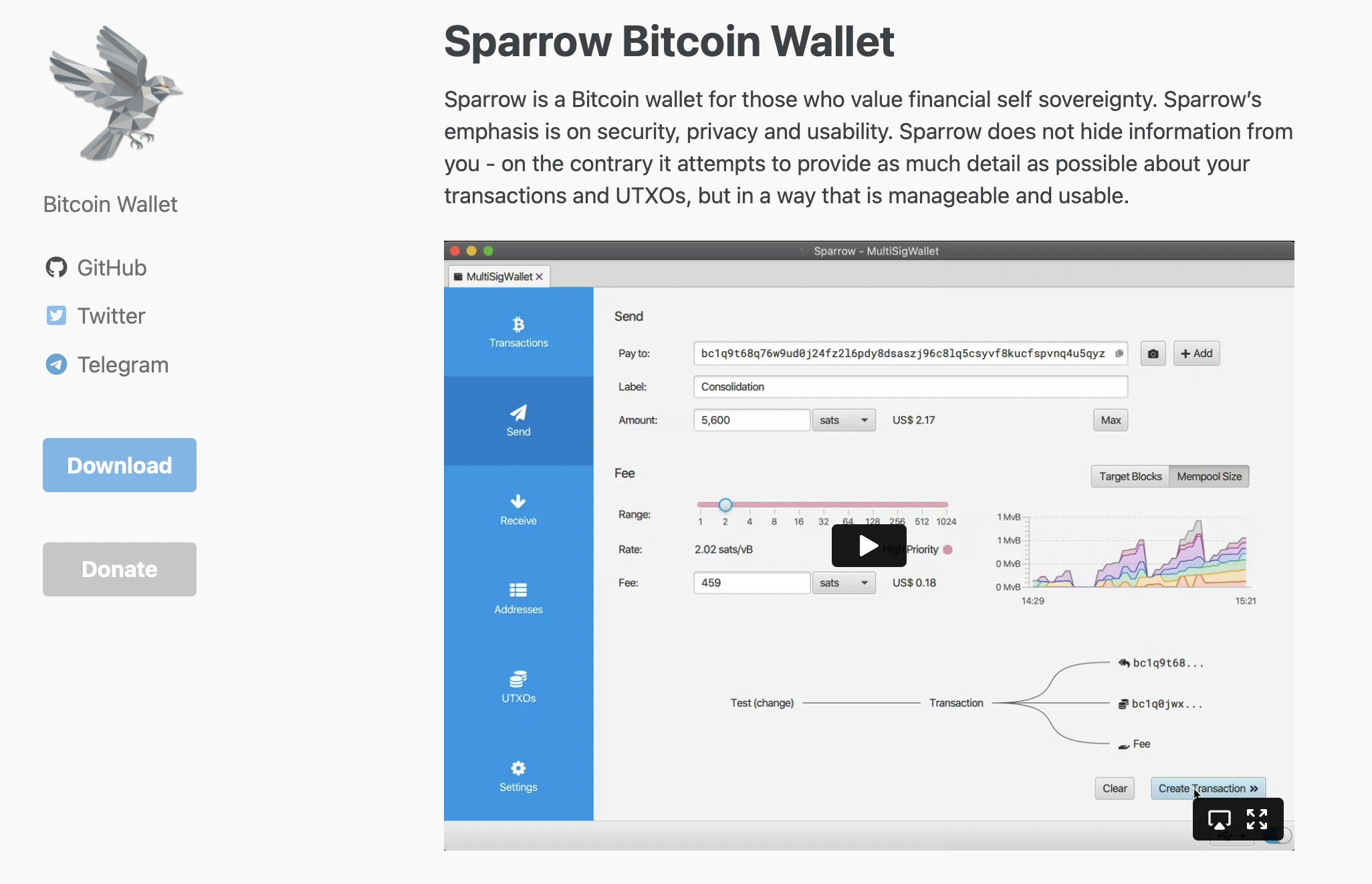
Price: Free (open-source)
Best for: Serious bitcoiners who want full control
Sparrow Wallet is the gold standard for desktop. This is the wallet for stacking sats seriously.
Pros:
- Best-in-class UI for desktop wallets
- Connect to your own node
- Full coin control and UTXO management
- Hardware wallet coordination
- Batch transactions
- Privacy features (Tor support)
- Advanced multisig support
- Active development
Cons:
- Assumes you know what you're doing
- Steeper learning curve
- Java-based (some prefer native apps)
Verdict: The UX assumes you know what you're doing, but if you're running your own node, you do. No question, this is the desktop wallet.
Electrum : Respect Your Elders
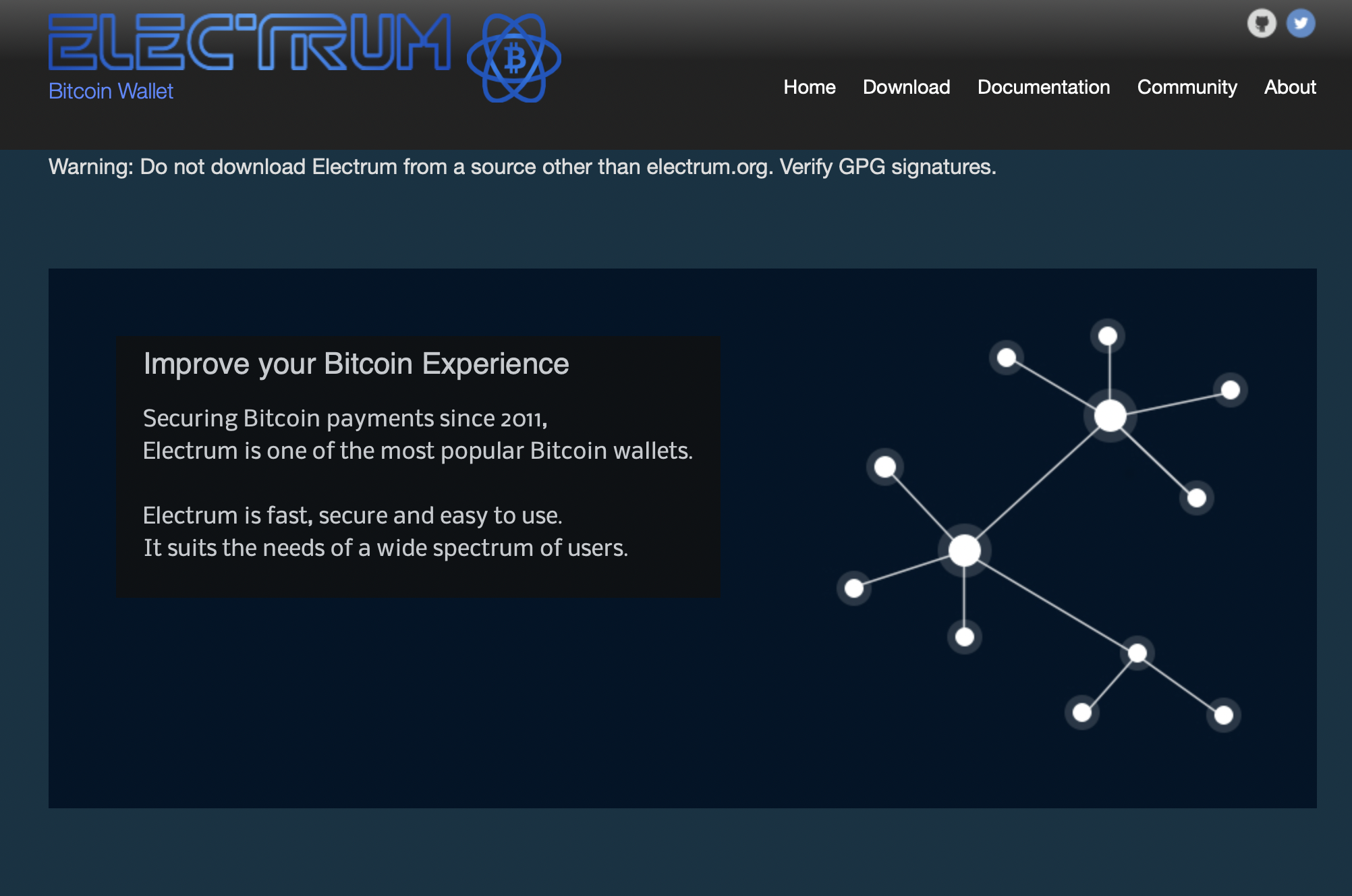
Price: Free (open-source)
Best for: Power users and long-time bitcoiners
Electrum is the OG. It's been around since 2011 and still works perfectly.
Pros:
- Longest track record (since 2011)
- Lightning support (added 2020, actually functions now)
- Lightweight
- Reliable
- Every line of code is verifiable
- Hardware wallet support
- Advanced scripting capabilities
Cons:
- UI looks like tax software from 2003
- Past phishing attacks via malicious servers
- Less intuitive for beginners
Verdict: The UI looks dated, but it's lightweight, reliable, and battle-tested. Respect your elders.


Bitcoin Core - Become Your Own Bank
Price: Free (open-source)
Best for: Maximum sovereignty via full node
Bitcoin Core is the full node. You download the entire blockchain (600+ GB), verify every transaction since 2009, and become your own bank.
Pros:
- You ARE the network (full node validation)
- Reference implementation
- Maximum privacy (no third-party servers)
- Ultimate sovereignty
Cons:
- Requires 600+ GB storage
- Initial sync takes days
- Basic wallet features only
- Significant bandwidth requirements
Verdict: This isn't a wallet for most people—it's a statement. If you're not ready to dedicate hardware and bandwidth, use Sparrow + someone else's node.
Mobile Wallets: Hot, But Not Reckless
You need a mobile wallet for spending. You shouldn't keep your life savings on one.
Lightning finally works on mobile. Phoenix and Muun made what seemed impossible three years ago routine. Instant payments, sub-cent fees, no custody trade-offs (well, minimal ones). The UX still needs work, but we're so far from "Lightning is vaporware" it's not funny.
Phoenix : For Lightning Power Users
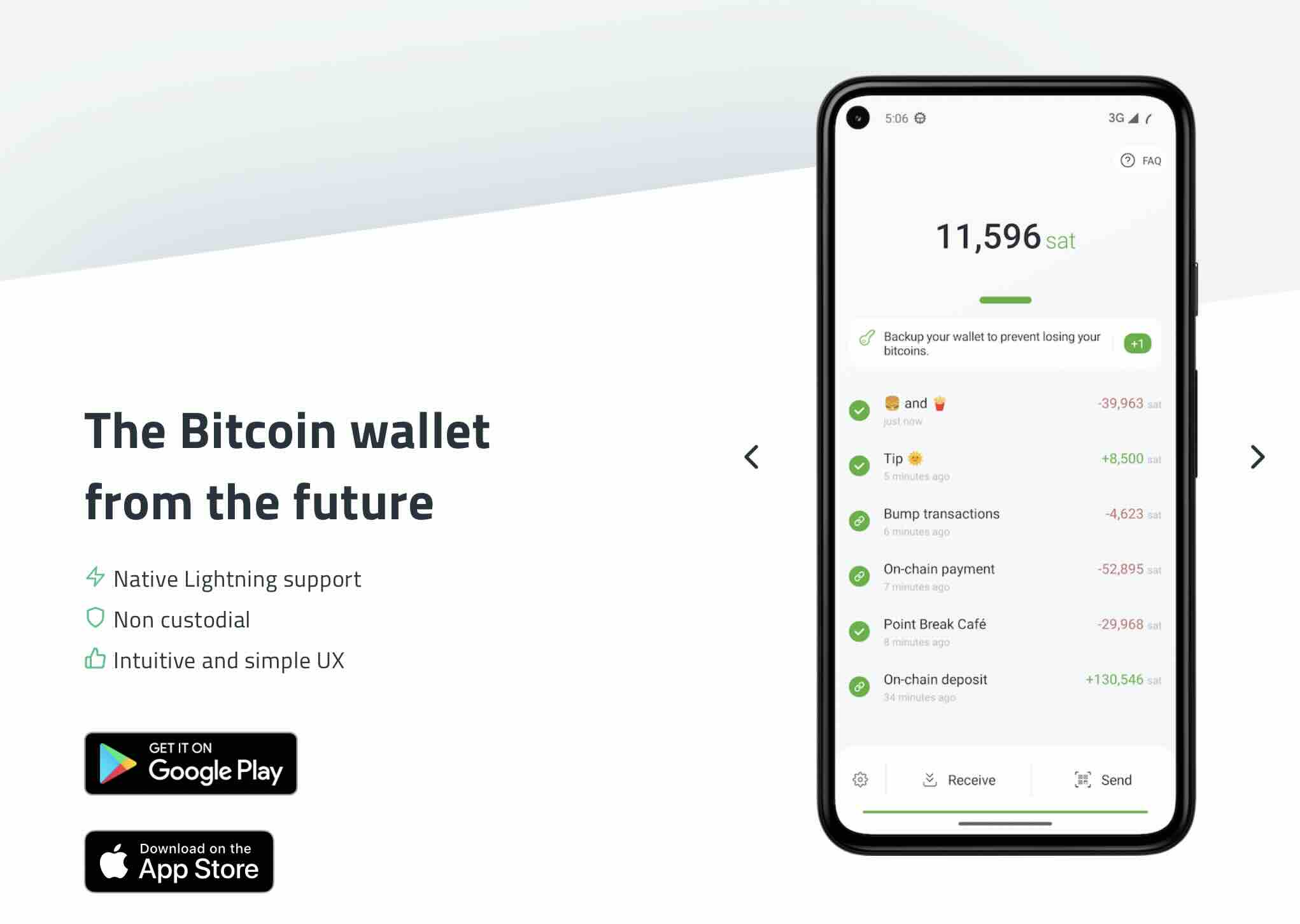
Price: Free (open-source)
Platform: Android (sideload), iOS (TestFlight)
Best for: Lightning Network transactions
Phoenix (by ACINQ) is for Lightning power users. Non-custodial, automated channel management, swap-in addresses for on-chain to Lightning.
Pros:
- Best Lightning UX available
- Non-custodial
- Automated channel management
- Swap-in addresses (on-chain to Lightning)
- 2024 update added splicing
- Accurate fee estimation
- From established company (ACINQ)
Cons:
- Banned in US app stores (regulators are clowns)
- Must sideload on Android or use TestFlight on iOS
- Lightning-focused (limited on-chain)
- Channel opening/closing costs
Verdict: The 2024 update added splicing and made fee estimation actually accurate. This is what Lightning should be everywhere. Warning: need to sideload, but worth it.
BlueWallet - The Swiss Army Knife
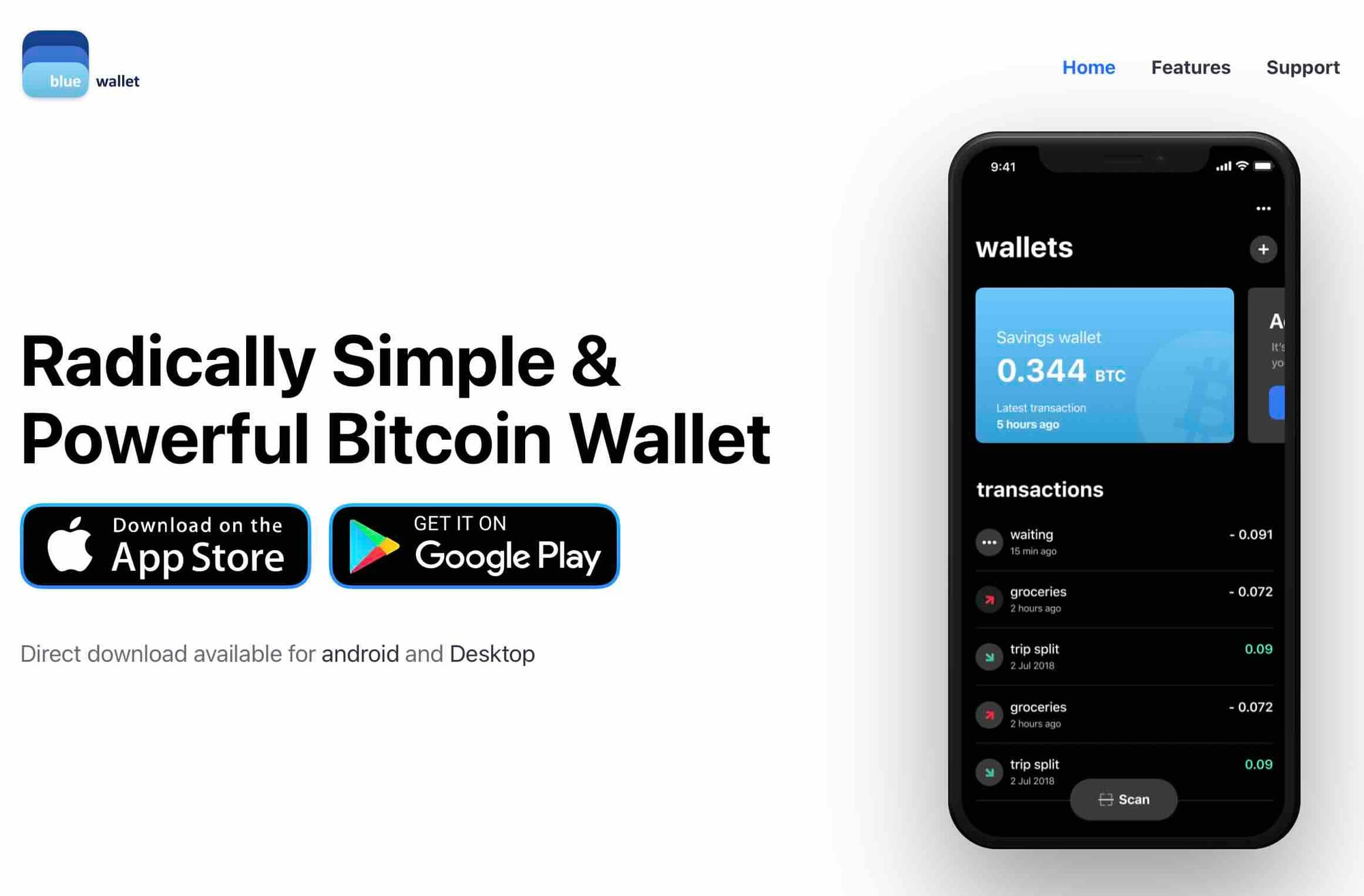
Price: Free (open-source)
Platform: iOS, Android, Desktop
Best for: Flexibility and ease of use
BlueWallet is the Swiss Army knife. On-chain, Lightning (via LNDHub), watch-only wallets, multisig support.
Pros:
- Clean, modern interface
- On-chain + Lightning support
- Watch-only wallets
- Multisig support
- Hardware wallet integration (via desktop)
- Multiple wallet management
- Cross-platform
Cons:
- Lightning is custodial by default (their node)
- Default uses BlueWallet servers (can change)
- Less advanced than desktop alternatives
 BlueWallet
Verdict: The Lightning is custodial by default (their node), which bothers purists but works flawlessly for most users. You can connect your own LND node if you're that guy. Best compromise wallet for people who need flexibility.
Muun Wallet : Seamless Lightning Experience
Price: Free (open-source)
Platform: iOS, Android
Best for: Easiest Lightning/on-chain switching
Pros:
- Automatic Lightning/on-chain switching
- Submarine swaps (invisible to user)
- No channels to manage
- Clean design
- Email + code recovery option
Cons:
- Higher fees for Lightning (submarine swaps can spike 2-3% during congestion)
- Less control over Lightning operations
- Relatively new (launched 2019)
Verdict: Easiest Lightning experience available, but accept the fee premium for convenience.
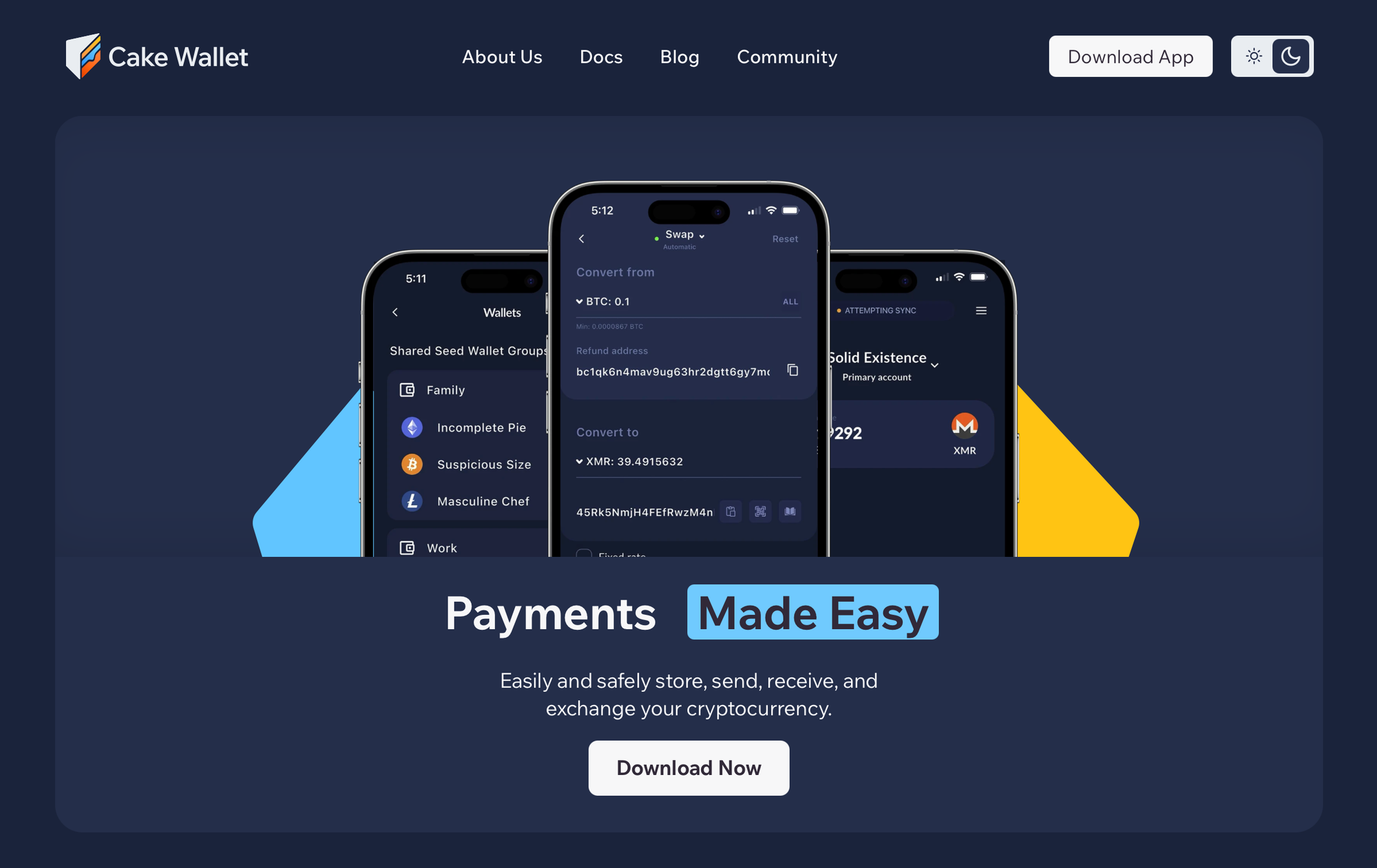
Cake Wallet : Privacy First
Price: Free (open-source)
Platform: iOS, Android, Desktop
Best for: Privacy-conscious users, multi-coin support
Cake Wallet offers a solid backup option for Bitcoin holders seeking privacy and control. This open-source, non-custodial wallet lets you manage BTC alongside other cryptocurrencies without KYC requirements.
Pros:
- No KYC required
- Built-in exchange (no KYC)
- Tor integration
- Strong privacy focus
- Supports Bitcoin, Monero, Litecoin
- Cross-platform
Cons:
- Not Bitcoin-only (larger attack surface)
- Exchange rates less competitive
- Multi-coin bloat
Verdict: With built-in exchange features and strong encryption, it's a reliable alternative when you need a secondary wallet or want to diversify your storage strategy away from mainstream options.
 Nakamoto Builder
What to Avoid
Security Comparison Matrix
| Feature | Hardware | Desktop | Mobile |
|---|---|---|---|
| Security Level | Highest | Medium-High | Medium |
| Attack Surface | Minimal | Depends on computer | Highest |
| Key Storage | Offline device | Computer storage | Phone storage |
| Malware Risk | Very Low | Medium | High |
| Physical Loss | Recoverable via seed | Recoverable via seed | Recoverable via seed |
| Convenience | Low-Medium | Medium | Highest |
| Setup Complexity | Medium | Medium-High | Low |
| Transaction Speed | Slow | Fast | Fastest |
| Ideal Amount | Long-term savings | Active management | Daily spending |
| Cost | $60-$300 | Free | Free |
| Learning Curve | Medium | Medium-High | Low |
Recommended Setups by User Profile
The Beginner (Just Starting)
Mobile: BlueWallet or Muun ($100-500)
Why: Learn basics without overwhelming features
Next step: Once comfortable, add hardware wallet
The Active User (Regular Transactions)
Mobile: BlueWallet for daily spending ($200-1,000)
Desktop: Sparrow Wallet for management ($1,000-10,000)
Hardware: Jade or BitBox for savings (>$10,000)
Why: Balanced approach for different use cases
The Bitcoin Maximalist (Serious Holder)
Hardware: Coldcard Q1 or Passport (majority of holdings)
Desktop: Sparrow Wallet + Bitcoin Core node
Mobile: Phoenix for Lightning spending
Why: Maximum sovereignty and security
The Privacy Advocate
Hardware: Coldcard (air-gapped operations)
Desktop: Sparrow with your own node
Mobile: Cake Wallet
Why: Privacy at every layer
The Enterprise/High Net Worth
Setup: Multi-signature with multiple hardware devices
Devices: 3+ Coldcards or Foundations (2-of-3 or 3-of-5)
Software: Sparrow Wallet for coordination
Why: No single point of failure
Note: Multisig is accessible now. Sparrow + multiple hardware wallets = 2-of-3 or 3-of-5 setups that protect against theft and loss. This used to require engineering expertise. Now it takes an afternoon and actual planning.
Who Are These Wallets For?
Hardware Wallets Are For:
- Anyone with >$10K in Bitcoin
- Long-term holders
- Inheritance planning
- Anyone who's watched exchange hacks with dread
Hardware Wallets Are NOT For:
- Daily spenders
- People who lose physical objects constantly
- Anyone unwilling to store a seed phrase properly
Mobile Wallets Are For:
- Buying coffee with sats
- Tipping
- Remittances
- Traveling
- Introducing normies to Bitcoin
- Sub-$5K holdings
Mobile Wallets Are NOT For:
- Your retirement stack
- Generational wealth
- Cold storage
- Anyone targeted by sophisticated attackers
Desktop Wallets Are For:
- Running your own node
- Coordinating hardware wallets
- Advanced features (coin control, multisig)
- Batching transactions
Desktop Wallets Are NOT For:
- Security-first cold storage (that's what hardware is for)
- Beginners who just want to buy some sats
- Anyone on a compromised Windows machine
Critical Mistakes to Avoid
1. Keeping Significant Bitcoin on Exchanges
"Not your keys, not your coins" isn't a cliché, it's a survival rule. FTX, Mt.Gox, and dozens of others proved this. Exchanges are for buying, not storing.
The days of keeping everything on Coinbase should be over. The tools exist. The UX is tolerable. The risk of not self-custodying is existential: FTX, Celsius, Voyager, BlockFi. The pattern is clear...
2. Ignoring Seed Phrase Security
Your 12-24 word seed phrase IS your Bitcoin. Write it down on paper (never digital), store in multiple secure locations, never photograph it, never type it into any website.
The real cost: Time learning proper security. A $60 hardware wallet is worthless if you photograph your seed phrase for "backup."
3. Using Custodial Wallets for Large Amounts
Apps like Cash App or Strike are convenient but custodial. They control your keys. Use them only for small amounts you can afford to lose.
4. Neglecting Backups
One hardware wallet isn't enough. Your seed phrase must be backed up securely in multiple physical locations (fireproof safe, safety deposit box, trusted family member).
5. Falling for Fake Wallet Apps
Always download wallets from official websites or verified app stores. Fake wallet apps steal millions annually. Verify URLs and developer signatures.
6. Reusing Addresses
Every Bitcoin transaction should use a new address for privacy. Modern wallets handle this automatically—never manually reuse addresses.
7. Connecting Hardware Wallets to Compromised Computers
Your hardware wallet is only as secure as the computer it connects to. Use dedicated machines for large transactions or air-gapped solutions like Coldcard.
8. Ignoring Firmware Updates
Security vulnerabilities are discovered regularly. Keep your wallet software and hardware firmware updated, but always verify update authenticity.
The Pain Points (Because Nothing's Perfect)
Hardware Wallet UX Still Punishes Mistakes
Enter your PIN wrong three times on a Coldcard? Brick. Lose your seed phrase? Gone forever. This is feature-not-bug territory, but the learning curve costs people money. Every year someone posts "I threw away my hardware wallet" horror stories.
Lightning Liquidity Management Is Black Magic
Phoenix and Muun abstract this away, but that abstraction costs you in fees or trust. Run your own Lightning node and you're managing channels, balancing inbound/outbound, and monitoring 24/7. There's no middle ground yet.
Mobile Wallet Regulation Is Getting Stupid
Phoenix pulled from US app stores. Wallet of Satoshi is geofenced in multiple countries. The workarounds (sideloading, VPNs) work but add friction exactly where Bitcoin shouldn't have any.
Recovery Procedures Are Terrifying
Restoring from a seed phrase should be straightforward, it's 12 or 24 words. But doing it securely, without exposing the seed to a compromised device, requires paranoia-level OpSec. The gap between "wrote down words" and "can actually recover funds safely" is wider than it should be.
Pricing & Fee Breakdown
Hardware Wallets
One-time cost: $60-$300
- Coldcard Q1: $300
- Foundation Passport: $250
- BitBox02: $149
- Blockstream Jade: $60
Zero subscription fees, but you're paying for physical manufacturing and security.
Mobile Wallets
Download: Free
Costs are in transaction fees:
- Standard Bitcoin network fees for on-chain
- Lightning fees (often <0.1%)
- Muun's submarine swaps can spike to 2-3% during congestion
- Phoenix charges for channel liquidity (current rate: 1% up to 0.002 BTC)
Desktop Wallets
Free and open-source across the board. Sparrow, Electrum, Bitcoin Core cost nothing but the disk space and bandwidth to run your node (~600 GB for a full node, negligible for light clients).
The Future: 2026 and Beyond
Emerging trends:
- Silent payments: Better privacy without CoinJoin complexity
- Taproot adoption: More efficient multisig and smart contracts
- Lightning maturity: Easier self-custodial Lightning solutions
- Hardware wallet evolution: Air-gapped becomes standard
- Regulatory pressure: KYC requirements expanding globally
Our Verdict
If you're serious about Bitcoin in 2026, you need layers:
- A hardware wallet for savings - Bitbox, Coldcard Q1 or Foundation if you're flush, Jade if you're practical
- A mobile wallet for spending - Phoenix if you can sideload, Cake Wallet, BlueWallet or Muun if you can't
- A desktop wallet if you run a node - Sparrow, or Liana wallet, no question
Bottom line: Hardware cold storage is non-negotiable for holdings worth protecting. Mobile wallets are for stacking sats and living on a Bitcoin standard. Desktop wallets are for going full cypherpunk. Mix and match based on your threat model and stack size.
Conclusion
The 'best' Bitcoin wallet doesn't exist, only the best wallet for YOUR specific situation. Security-conscious long-term holders need hardware wallets. Active traders benefit from desktop wallet sovereignty. Daily users prioritize mobile convenience. The professionals use all three in a layered strategy.
What matters isn't choosing the single perfect option, it's understanding the trade-offs, matching tools to use cases, and implementing proper security hygiene regardless of wallet type. Your seed phrase security, backup strategy, and operational security matter more than any specific wallet brand.
In 2026, with Bitcoin adoption accelerating and regulatory landscapes shifting, self-custody isn't just about protecting wealth, it's about maintaining financial sovereignty in an increasingly surveilled world. Whether you're in New York or Algiers, the principles remain: control your keys, verify don't trust, and never compromise on security for convenience when significant value is at stake.
Start where you are. Start small. Learn the fundamentals. Upgrade your security as your holdings grow. Your future self will thank you.
FAQ
Q: Can I use the same wallet for Bitcoin and altcoins?
A: You can, but Bitcoin-only wallets offer smaller attack surfaces. For serious Bitcoin holdings, use Bitcoin-only solutions.
Q: What if I lose my hardware wallet?
A: Your Bitcoin isn't on the device—it's on the blockchain. Your seed phrase restores access from any compatible wallet.
Q: Are mobile wallets safe?
A: For small amounts (daily spending money), yes. For life savings, absolutely not.
Q: Do I need a full node?
A: Not required but recommended for maximum sovereignty and privacy. Start with SPV wallets, upgrade when ready.
Read : Your Bitcoin Privacy Revolution: The Complete Guide to Running a Node
Q: What's the minimum I should store on a hardware wallet?
A: When the value justifies the $60-300 cost and setup effort. Generally $1,000+ makes sense.
Q: Can hardware wallets be hacked?
A: Remote hacking is nearly impossible. Physical attacks require access to the device. Seed phrase security is the real vulnerability.
Disclaimer
This review is educational. Not financial advice. Test with small amounts first. Store seed phrases offline. Verify receiving addresses on device screens.
If you lose your keys, no one ( including the wallet manufacturer) can recover your Bitcoin. That's the point.
Do your own research. Stay humble, stack sats.
