


Your money, your rules: running a Bitcoin node puts you in charge. Without relying on others, nobody watches your moves or twists what you see. Still, choosing one setup from so many leaves most people unsure where to start.
When people talk about Bitcoin at home, three stand out, Umbrel, Start9, MyNode. One gives simplicity, another control, the third flexibility. How each handles setup changes how you interact later. Differences show up in software updates, interface design, support options.
Some favor plug-and-play ease. Others lean into customization. The real split? What kind of user each serves best. Choices depend on comfort with tech, time to learn, long-term goals. Picking right means matching tool to mindset.
Running a Bitcoin Node Has Real Importance
A lot of folks run Bitcoin apps but have no clue about the hidden mechanics. Your wallet talks to another person’s server when viewing funds or moving coins. This third party catches your IP, ties it to your wallets, follows each move you take. Behind every click, someone might be watching.
Your way of doing things shifts when you run a node. Not relying on others, you check each transaction yourself against Bitcoin’s standards. Privacy sticks around since your information stays put, on your machine. Completely different once it’s under your control.
The Real Benefits You Get
Operating your own node brings real benefits
- Your wallet talks straight to your node, no middle points. Checking an address? Not a soul sees you do it. Your IP stays off the trail of every move you make.
- Your own check on each transfer keeps things locked down tight. A slimmed-down wallet might get fooled by a fake move.
- Your money moves without permission. Someone else cannot block it. Fake records won’t stick. The system does not lie to you.
- One thing about network strength, every new node spreads control a little further. Resistance grows when another participant joins the system. Tougher to disrupt happens bit by bit with each added piece.
- With trust removed, control shifts. Instead of depending on exchanges or wallet services to report blockchain activity, you verify it yourself. No middlemen stand between you and the truth of the network.
Things to Consider Before Deciding
Running Bitcoin Core works on each of these platforms. What sets them apart is how they feel to use, extra tools included, or the level of access you get.
A solid setup works fine for any of them. Expect to use 16GB RAM minimum, along with a full terabyte of space because the chain already passes 600GB by 2025, more will come later. Speed improves noticeably when using an SSD, especially during sync. Responsiveness stays better over time that way.
Most machines need two or three days to sync the blockchain at first. This long wait occurs just one time during setup. From then on, daily updates finish within minutes. The heavy lifting is done upfront.
Umbrel: The Apple of Bitcoin Nodes
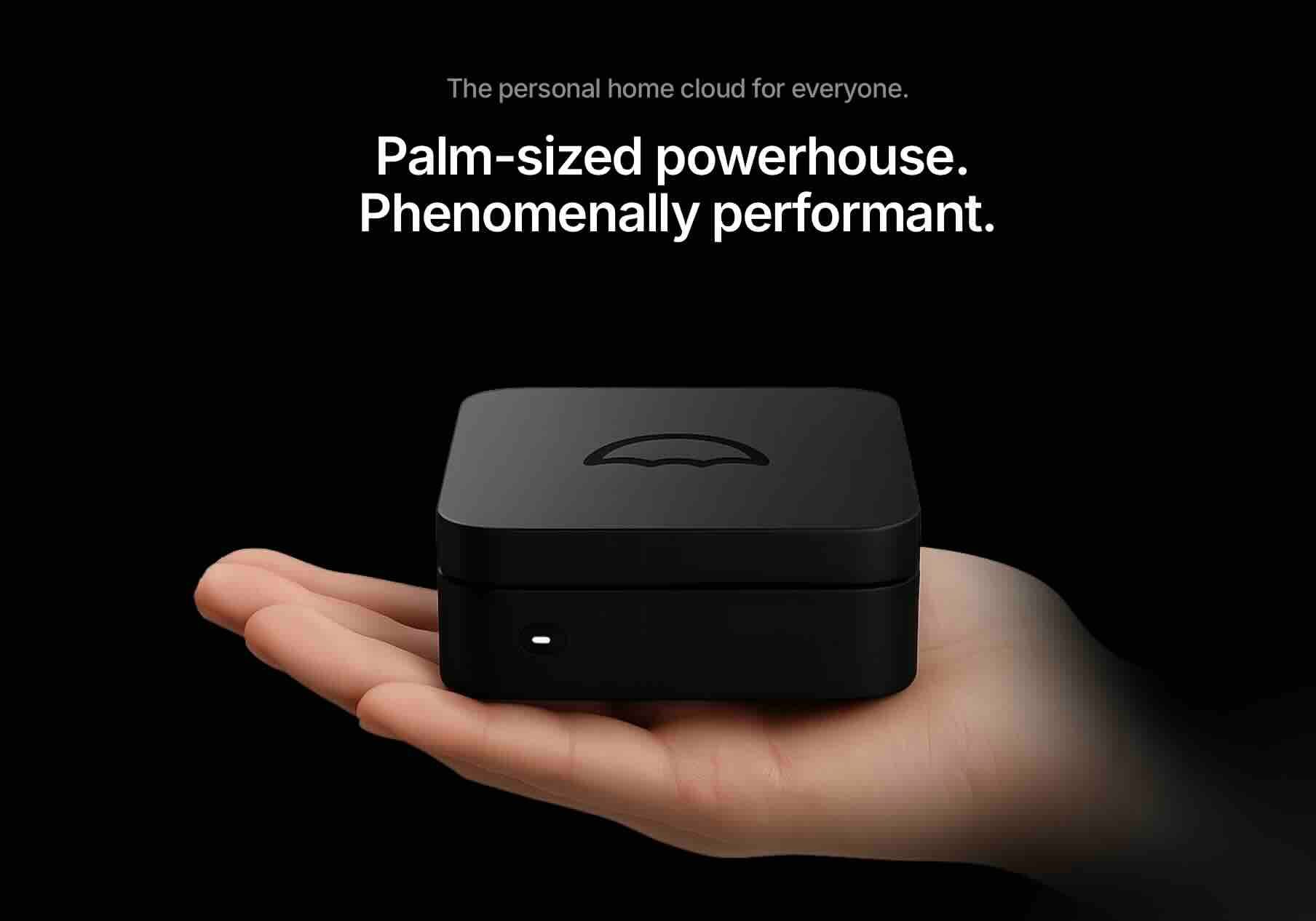
Umbrel treats simplicity as its main selling point. The interface looks polished, almost like using an Apple device. Umbrel deliberately chose to make a home server as easy to use as an iMac.
Setting up Umbrel feels intuitive from the first screen. You plug in the device, visit umbrel.local in your browser, and follow the prompts. Within minutes, you're downloading the blockchain. No command line knowledge required.
 Nakamoto Builder
What Makes Umbrel Different
The App Store sits at the center of the Umbrel experience. Installing additional apps happens with one click. Want to run a Lightning node, block explorer, or BTCPay Server? Just tap the install button. The selection includes Bitcoin tools, media servers, file storage, and even AI models.
Umbrel now runs Bitcoin Core v30.0 and lets you switch between different Bitcoin Core versions with confidence. The interface shows real-time visualizations of your node's global connections, making the technical aspects feel accessible.
UmbrelOS 1.4 introduced major improvements. File management got easier with a dedicated documents section. The platform expanded beyond Bitcoin to become a complete home server solution. You can now run Nextcloud for file storage, Jellyfin for media streaming, and Home Assistant for home automation.
The Umbrel Hardware Options
Umbrel Home ships as a plug-and-play device starting at $399. It comes with up to 4TB of SSD storage and 16GB RAM. The hardware uses an Intel N150 processor, which handles multiple apps running simultaneously without slowdown.
DIY builders can install UmbrelOS on a Raspberry Pi 4, any x86 PC, or even a virtual machine. This flexibility means you can repurpose old hardware or build exactly what you need. The free software approach keeps costs down if you already own compatible hardware.
Where Umbrel Falls Short
Privacy advocates raise valid concerns about Umbrel's security approach:
- No HTTPS support: Umbrel uses unencrypted HTTP for local network access. Anyone on your WiFi can potentially sniff traffic.
- Closed source license: The company shifted away from fully open source code, which bothers transparency advocates.
- Missing health monitoring: No automated system checks service health. You'll need manual log inspection if something breaks.
- Network exposure: Guests with your WiFi password could access your node interface without encryption protecting the data.
These limitations matter more if you're running a business node or storing significant value.
Start9: Built for Privacy Purists
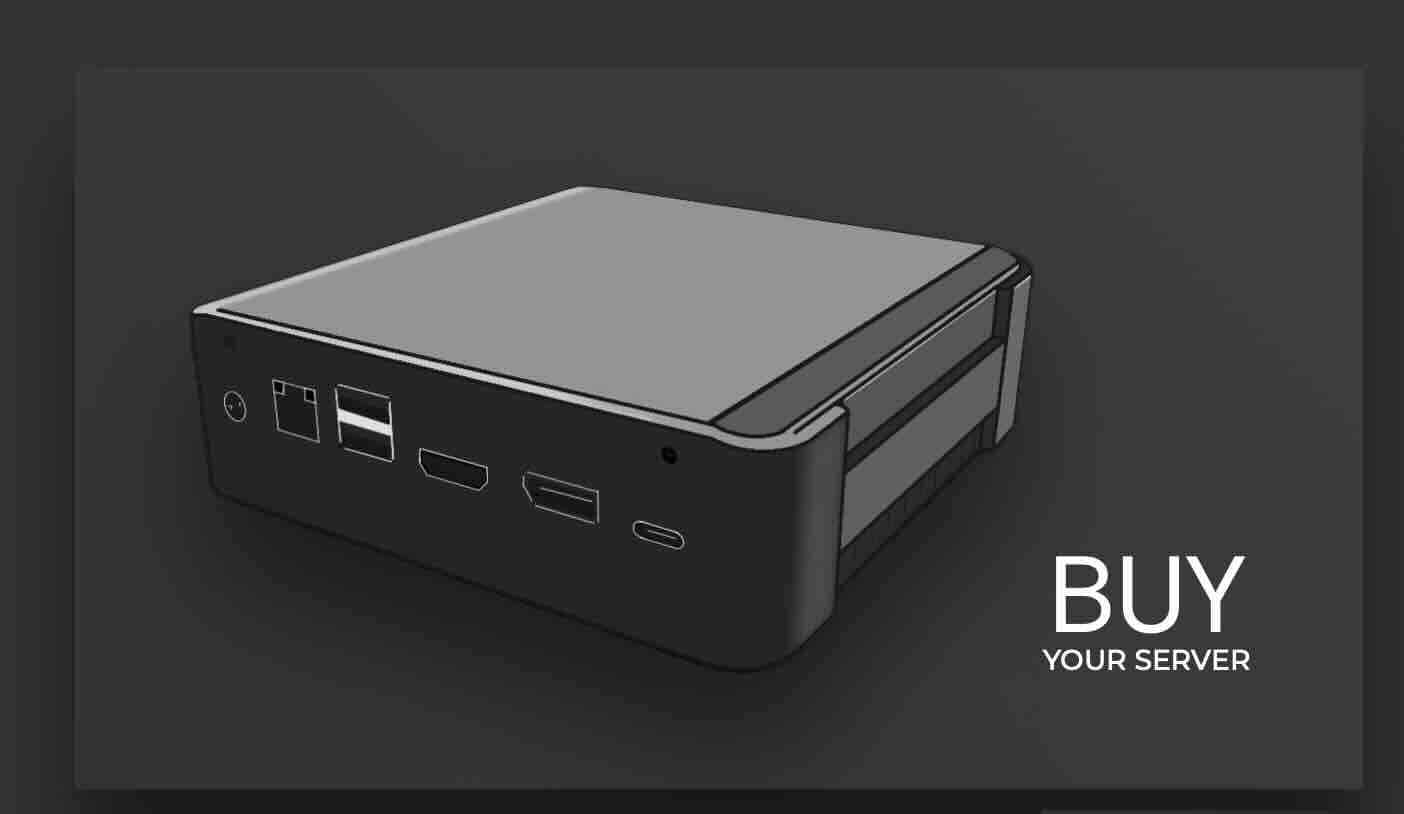
Start9 takes a different philosophy. Where Umbrel optimizes for ease, Start9 optimizes for sovereignty and security. Start9 provides a more comprehensive, private, and secure self-hosted internet experience beyond just cryptocurrency.
StartOS powers all Start9 devices. This Linux-based operating system prioritizes privacy at every level. Services run in isolated containers. Connections route through Tor by default. SSL encryption protects your web interface.
The Start9 Approach to Node Management
Health checks monitor every service automatically. Start9 constantly monitors the health and availability of services. You'll know immediately if something breaks, rather than discovering problems when you try to use a feature.
SSL support comes standard. Your connection stays encrypted even on your local network. This prevents anyone snooping on your WiFi from seeing what you're doing with your node. The security-first approach means sacrificing some convenience, but the tradeoffs favor privacy.
The marketplace offers curated apps that meet Start9's security standards. You can run Bitcoin Core, Bitcoin Knots, Lightning nodes, Mempool, BTCPay Server, and privacy tools like Electrs and Fulcrum. Start9 lets you choose whether to run Bitcoin Core or Bitcoin Knots and makes it super easy to connect to your wallet.
Start9 Hardware Lineup
Server One represents Start9's premium offering. The server is powered by a Ryzen 7-5825U processor with 16GB DDR4 RAM and a 2TB NVMe SSD. Configurations go up to 64GB RAM and 4TB storage for users running many services simultaneously.
The hardware feels overbuilt compared to competitors. That extra power means smooth operation even when running a Bitcoin node, Lightning node, file server, and other apps all at once. Prices start higher than Umbrel, reflecting the premium components.
Start9 also supports DIY installations on Raspberry Pi 4 and x86 hardware. The documentation walks you through the process step by step. You'll spend more time on initial setup compared to Umbrel, but you gain more control over your configuration.
The Learning Curve Issue
Start9 expects more from users technically. The StartOS server can be intimidating for non-technical users given its broad scope. The interface shows more options and settings, which empowers advanced users but overwhelms beginners.
Auto-updates sometimes require attention. Some users have reported that the update process can occasionally be challenging due to the variety of services the server supports. Running multiple services means more potential points of failure during upgrades.
Documentation is thorough but dense. You'll find answers to most questions, but expect to read more compared to Umbrel's simplified approach. The trade-off is complete control over every aspect of your node.
MyNode: The Middle Ground Option
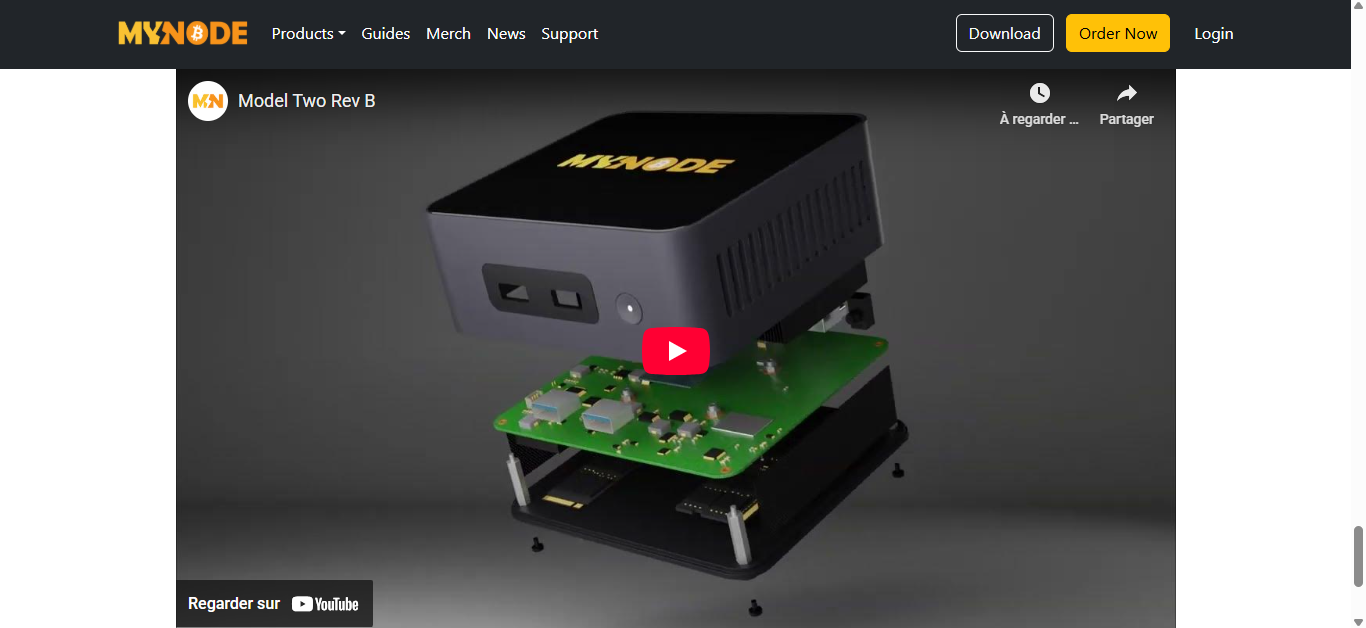
MyNode positions itself between Umbrel's simplicity and Start9's power-user features. MyNode combines the best open source software with an interface, management, and support so you can easily, privately, and securely use Bitcoin and Lightning.
The platform comes in two versions: Community Edition (free) and Premium ($99 one-time fee or bundled with hardware). This split lets budget-conscious users start free while offering paid upgrades for people who want more.
MyNode's Unique Features
Premium unlocks one-click upgrades through the web interface. Community package users must upgrade from the command line. This convenience matters when security updates need installation quickly. Premium also includes support via email and Telegram, which helps less technical users troubleshoot problems.
The interface balances usability with information density. MyNode has a really nice UI and the ability to install on top of Linux. You can see your node's status at a glance: disk usage, RAM capacity, temperature, and uptime all display on the homepage.
Apps install with single clicks from the marketplace. MyNode includes Bitcoin Core, Bitcoin Knots, Lightning Node implementations, Mempool visualizer, BTCPay Server, Electrum Server, Specter Desktop, and privacy tools like JoinMarket and Whirlpool. The selection rivals Umbrel and Start9.
MyNode Hardware Choices
Model Two launched in 2025 as MyNode's flagship device. The hardware includes an Intel N100 processor, 16GB RAM, and 2TB storage. Currently on sale for $599 (regularly $699), it competes directly with Umbrel Home on price.
Model One offers a more budget-friendly option, though with less powerful specs. Both models come with Premium software included, so you get one-click upgrades and support out of the box.
DIY users can install MyNode Community Edition on Raspberry Pi 4, Rock64, RockPro64, or x86 hardware. The software works on existing Linux installations, which is great for people running nodes in homelabs or on virtual machines.
MyNode's Weaknesses
Users report several recurring issues with MyNode:
- Reliability problems: Some users experience issues when upgrading, especially on DIY installations with unusual configurations.
- Premium paywall: One-click updates and support require the $99 Premium version. Free users get a second-tier experience.
- Bash script fragility: MyNode uses shell scripts that break easily compared to more robust programming languages.
- Update complexity: Community Edition users must upgrade from command line, which creates friction for less technical users.
The platform works well when everything runs smoothly, but troubleshooting can frustrate beginners.
Head-to-Head Comparison
Setup and Ease of Use
Umbrel wins for pure simplicity. The guided setup process and polished interface mean anyone can get started. MyNode sits in the middle with a straightforward setup that shows more information. Start9 requires the most technical knowledge but rewards users with more control.
First-time node operators should probably start with Umbrel unless they specifically need Start9's privacy features. The learning curve difference matters when you're already overwhelmed by concepts like blockchain syncing and wallet connections.
Privacy and Security
Start9 takes privacy most seriously with built-in Tor support, SSL encryption, and health monitoring. MyNode includes Tor and decent privacy features. Umbrel's lack of HTTPS and health checks puts it behind the others for security-conscious users.
Start9 has backup and restore capabilities, health checks, and SSL support that Umbrel lacks. These features matter more as you store more value on your node or run it for business purposes.
App Selection and Flexibility
All three platforms support the core Bitcoin apps you need. Umbrel edges ahead with the widest app store, including non-Bitcoin applications like media servers and AI models. Start9 focuses on curated, security-vetted apps. MyNode falls between them with a solid but not exhaustive selection.
The marketplace approach works well on all three platforms. One-click installs mean you can experiment with different Lightning implementations, block explorers, or payment processors without complex setup.
Hardware and Pricing
Umbrel Home: $399 (16GB RAM, 2TB storage) MyNode Model Two: $599 (16GB RAM, 2TB storage, includes Premium) Start9 Server One: Varies by configuration, typically $600-800+ (16GB RAM, 2TB storage minimum)
DIY installations cost whatever hardware you already own or buy. A Raspberry Pi 4 with 8GB RAM and a 1TB SSD runs about $150-200 total. An x86 mini PC with better specs costs $300-500 depending on your choices.
Support and Community
Umbrel has the largest community and most active development. Finding help online is easier because more people use Umbrel. Start9 offers strong support but a smaller user base. MyNode Premium includes direct support, but Community Edition users rely on forums and Telegram.
Documentation quality varies. Start9's docs are most comprehensive but dense. Umbrel's are accessible but sometimes lack depth for advanced scenarios. MyNode sits in the middle again.
Which One Should You Choose?
Your ideal platform depends on what you value most:
Choose Umbrel if:
- You're new to Bitcoin nodes and want the easiest setup
- A polished, Apple-like interface appeals to you
- You want to run non-Bitcoin apps like media servers
- Privacy concerns are moderate and convenience matters more
- You're comfortable with the lack of HTTPS encryption
Choose Start9 if:
- Privacy and security are your top priorities
- You want built-in Tor support and SSL encryption
- Automated health monitoring matters to you
- You're willing to handle a steeper learning curve
- You need a comprehensive self-hosted server beyond Bitcoin
Choose MyNode if:
- You want middle-ground features with professional support
- One-click updates justify the $99 Premium cost
- You value email and Telegram support access
- The balance between simplicity and power appeals to you
- You're running a small business accepting Bitcoin payments
Real-World Usage Scenarios
Starting fresh with Bitcoin? Umbrel makes setting up a node feel smooth, almost like flipping on a light. Getting things moving takes little time, features open up as you go.
Sure, there are small privacy cuts along the way, but early days often brush those aside. What matters shows up right away: control, access, simplicity.
Start9 might catch the eye of those who care deeply about private communication. Built with safety in mind, it echoes how Bitcoin first aimed to work, without needing to trust others, without filters. Learning how everything fits together takes effort, true, though that effort buys a quieter mind when secrecy matters.
Running a small shop that takes Bitcoin means counting on things working without hiccups. When it comes to steady performance, MyNode Premium stands out where Umbrel’s open version may fall short.
Support matters, especially if downtime costs you sales. For ninety-nine dollars up front, the peace of mind fits easily into business budgets. That price fades in significance once crypto flows through daily transactions.
Folks who run Lightning Network routing nodes care about steady performance and staying online. Problems can show up fast, Start9 spots them early, keeping routes clear. Personal setups like Umbrel? They work okay until the demands grow. Serious node operation needs tighter oversight than casual use requires.
Getting Started With Your Choice
Initial Setup Steps
Getting your node operational follows a standard pattern across all platforms:
- Connect hardware: Plug in power and ethernet cable to your device or computer.
- Access web interface: Open your browser and navigate to the platform's local address.
- Create credentials: Set up your admin password and security preferences.
- Start blockchain sync: The node begins downloading Bitcoin's 625GB blockchain automatically.
- Wait 2-3 days: Sync time depends on your internet speed and hardware specs.
- Install additional apps: Add Lightning, block explorers, or payment processors once sync completes.
You can use basic node functions while syncing continues in the background.
Connecting Your Wallet
Bitcoin wallets like Sparrow, Electrum, or BlueWallet can connect directly to your node. Each platform provides instructions for finding your node's connection details. The process varies slightly but generally involves copying your node's IP address and setting up authentication.
Connecting your wallet to your node completes the privacy circle. Now your transactions broadcast through your node instead of a third-party server. Your balance queries hit your local blockchain copy rather than revealing your addresses to external services.
Testing the connection matters before moving significant funds. Send a small amount from an exchange to an address in your wallet. Verify the transaction appears in your block explorer. This confirms everything works correctly.
Ongoing Maintenance
Keeping your node healthy requires minimal but consistent attention:
- Apply software updates: Security patches arrive regularly. Umbrel and MyNode Premium handle these automatically. Start9 and MyNode Community need manual updates.
- Monitor disk space: The blockchain grows about 60GB yearly. Check available storage every few months to avoid emergencies.
- Create regular backups: Store backups on separate physical devices like USB drives or network storage. Test restoration occasionally.
- Check node health: Review your node's status weekly. Verify it's connected to peers and syncing new blocks.
- Update apps separately: Individual apps receive updates independent of the main system. Don't ignore these.
- Restart when needed: Occasional restarts keep memory usage healthy and clear potential issues.
Most maintenance takes just a few minutes per month once your node is established.
Common Issues and Solutions
Slow Sync Times
A single gigabyte at a time, that 627GB won’t shrink no matter what. Pulling it over Wi-Fi? Expect delays compared to a wired link. When sync speeds crawl, blame might lie with your provider limiting specific data flows. Each chunk arrives slower if the network path is restricted.
When there is not enough RAM, syncing slows way down. To check blocks properly, Bitcoin Core requires available memory. While 8GB can handle it, 16GB handles it far more smoothly. Running fewer programs while syncing helps release needed system power.
Faster syncing lives on solid state drives, not spinning disks. Two full weeks might pass waiting for a traditional drive to catch up, three days is all it takes with flash storage.
When chains check blocks, they dart around, needing quick access that only SSDs deliver. That constant jumping? It plays right into the hands of speedier memory chips.
Connection Problems
Finding port forwarding tricky? That happens a lot with fresh node runners. For your node to get reached by others, it must have port 8333 accessible. Each router brand sets things up differently. You can usually find step-by-step help online tailored to popular models.
Sometimes a firewall stops connections without warning. See if your computer's security lets Bitcoin Core communicate freely. On work or campus networks, certain data may get rejected on purpose.
Your home internet usually gets a shifting IP number now and then. When that happens, anyone trying to reach you loses the link, until they find where you moved.
Some fix it with special domain tools or fixed numbers online. Still, plenty of people never need others to connect in, so it just works as is.
App Installation Failures
When there is not enough room on a drive, programs stop working while being set up. Every program requires some place to keep its files. Before adding big ones, say, something like Electrs, which takes over 150GB, or tools that handle videos, look at how much free space remains.
One app might block another during setup. When both reach for the same port, trouble starts. Try removing the first one prior to adding the second. Or look around, settings could let you pick separate ports.
Every now and then, a download gets messed up. Try starting the setup again when an app won’t go through. While many systems notice errors and attempt fixes on their own, stepping in by hand can make a difference. When things stall, going back to square one might be what it takes.
The Future of Personal Node Solutions
Fresh updates keep coming across all three systems. What stands out with Umbrel is its push to replace entire home servers. Privacy takes center stage for Start9, shaping every move they make. MyNode? It layers in advanced tools that make paying more feel natural.
When one platform adds something fresh, others tend to follow. Rivalry keeps things moving forward. People using them notice upgrades more often than before. Improvement comes steadily because nobody wants to fall behind.
Faster machines show up each year at lower prices. That little green board with sixteen gigabytes of memory now beats high-end gear from four years back. Small desktops pack strong chips without guzzling power. Prices drop even as performance climbs.
Out there, Bitcoin keeps finding new homes. As that happens, the tools to run it get sharper. When companies jump in, they want things solid, fewer hiccups, smarter functions. Regular folks joining in push for easier first steps and clearer guides. Each group shapes how the system grows.
Making Your Final Decision
Truth be told, how tech-savvy you really are matters first. Picking Start9 won’t help if its steep learning curve slows you down, serious name aside. On the flip side, going with Umbrel could leave gaps, should tighter protection rank high on your list.
Money matters when picking gear. A homemade setup cuts expenses, yet takes effort plus some skill to pull off. Ready-made systems cost extra, though they work straight out of the box.
What really fits your needs? Picture running more than just a Bitcoin node. A media library or AI experiments might lean toward Umbrel, its wide range of apps opens doors. Yet if shielding transactions quietly is key, Start9 steps in with tight, handpicked defenses.
Try it out using free or open options first instead of spending money right away. A Raspberry Pi with MyNode Community Edition, plus setups like Umbrel or Start9, keeps cost low while learning. If you enjoy managing your own node, stronger gear can come later.
 Nakamoto Builder
Disclaimer:
This article is for informational purposes only and does not constitute financial, investment, or legal advice. Cryptocurrency involves significant risk, including total loss of funds. Always conduct independent research and consult qualified professionals before making custody or investment decisions.
