


Nowadays, shops on the internet accept Bitcoin just like cash. Some buyers prefer digital coins instead of plastic cards. Lower interest in bank charges grows by the day.
During 2024, Bitcoin payments reached an all-time high. Stores using it rose sharply, up 67% compared to last year. Others in your field have started taking it too.
Here’s what helps. A coder isn’t required. Knowledge of blockchain? Not necessary. The key is picking a suitable payment service.
This guide looks at five platforms built for easy Bitcoin payments. One runs on automatic transfers. Another thrives with instant checkout setups. Some suit freelancers better than stores. A few grow stronger with high-volume sales.
Bitcoin Payment Processing Explained
Payment through Bitcoin often involves a helper on the way. These helpers take care of complicated steps behind the scenes. Your earnings arrive in whatever money you choose to receive.
A customer hits checkout. From there, payment moves fast. Scanning a QR code does the job, alternatively, they might just paste a wallet address. Next comes the transfer: Bitcoin leaves their account. Confirmation arrives through the processor. What lands in your hands? Dollars. Euros. Or cryptocurrency if that’s what you prefer.
Minutes cover the entire thing. Occasionally, just a few seconds do.
Key Benefits for Businesses
Fees sit lower here. While credit cards take 2.9% alongside a 30 cent cut per swipe, Bitcoin handlers often ask for just 1%, sometimes even skip the fee entirely.
Accepting Bitcoin payments offers several advantages:
- Lower transaction costs: Save up to 70% compared to credit card processing fees
- Zero chargebacks: Bitcoin transactions are final and irreversible
- Global reach: Accept payments from customers in 150+ countries instantly
- Enhanced security: No customer payment data to store or protect
- Faster settlements: Receive funds in minutes instead of days
- No PCI compliance: Eliminate costly security certification requirements
What You Need to Begin
A website for your company? That is where you start. Pick whatever system fits. Whether it is Shopify, WordPress, or something built from scratch, they plug in without trouble.
A Bitcoin wallet might help: yet it is not required. Many services store your funds instead. Each day, they often switch the amount into regular money automatically.
A few key details finish the process. Your tax number comes next. The place where your company operates matters too. Money moves go through a linked bank record. Just that. Nothing extra needed. Not even a tech background.
BTCPay Server: Complete Control with Zero Fees
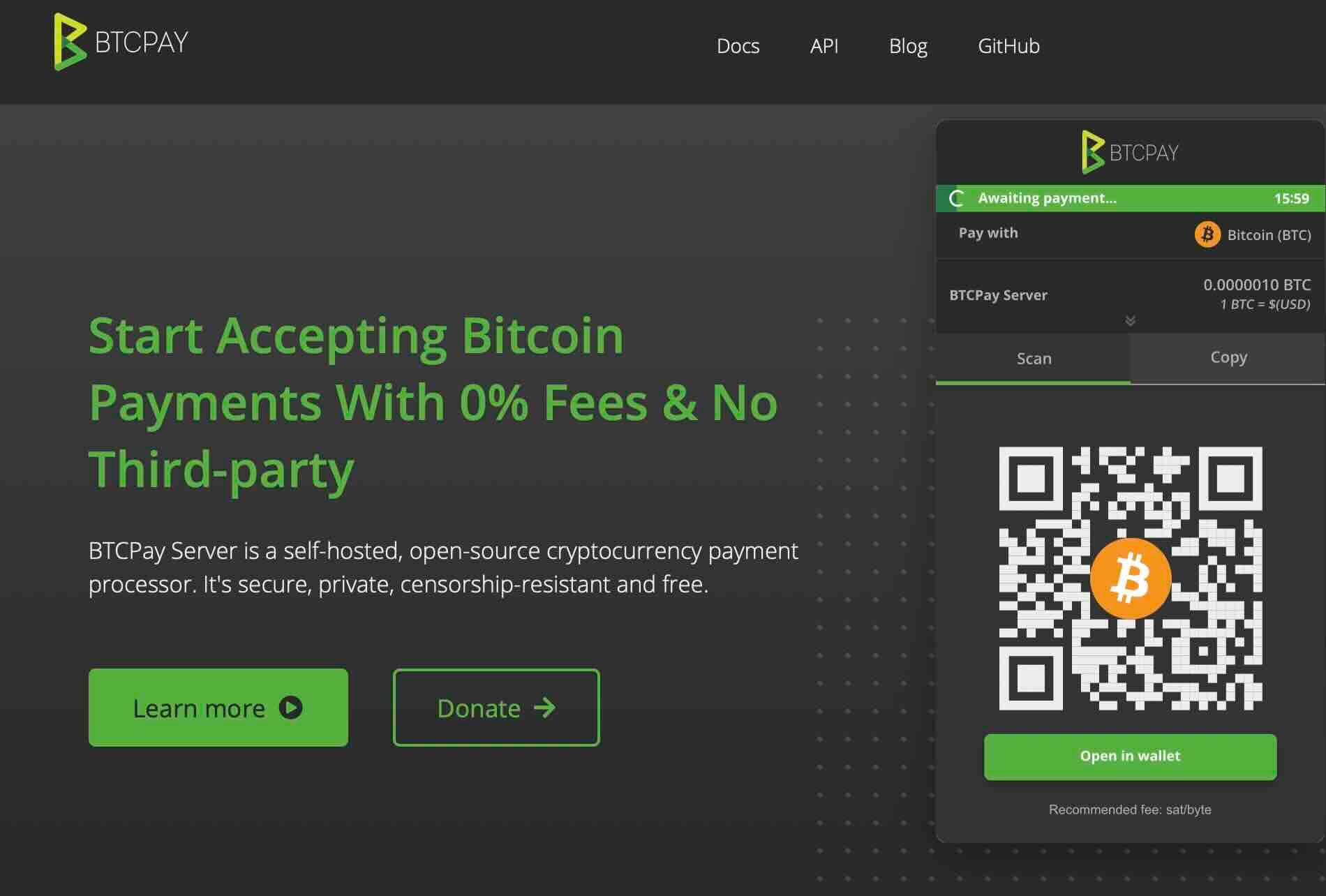
BTCPay Server sits at the top for those who want total ownership. Open-source code runs the whole system. Self-hosted means nobody else touches your money. Fees? They simply don’t exist here.
Installing takes some effort upfront. Technical knowledge helps, though clear guides walk you through it. Once running, the platform belongs entirely to you. No company controls access. Updates happen when you decide.
Privacy stands strongest with this option. Customer data stays on your server alone. Third parties never see transactions. Many Bitcoin purists choose this path for that reason.
Features and Pricing
Complete freedom defines how BTCPay Server operates. Lightning Network support comes built in. Point-of-sale apps work right out of the box. Payment buttons drop into any webpage. Invoicing happens through the dashboard.
Key features include:
- Zero transaction fees: No platform charges ever
- Full self-custody: You control private keys completely
- Lightning Network support: Fast, low-cost payments
- Complete privacy: No third-party data sharing
- Point-of-sale apps: Accept payments in person
- Open-source code: Audit and modify everything
- Payment processor integration: Works with existing tools
- Unlimited transactions: No volume restrictions
Cost stays at absolute zero for software. Hosting your own server brings typical server expenses. Cloud hosting runs about $10-30 monthly. That covers everything, regardless of transaction volume.
Technical requirements sit higher than hosted options. Setting up demands Linux knowledge. Maintaining the server takes occasional attention. Updates need manual application.
 Nakamoto Builder
Zaprite Handles Invoicing and Repeat Payments
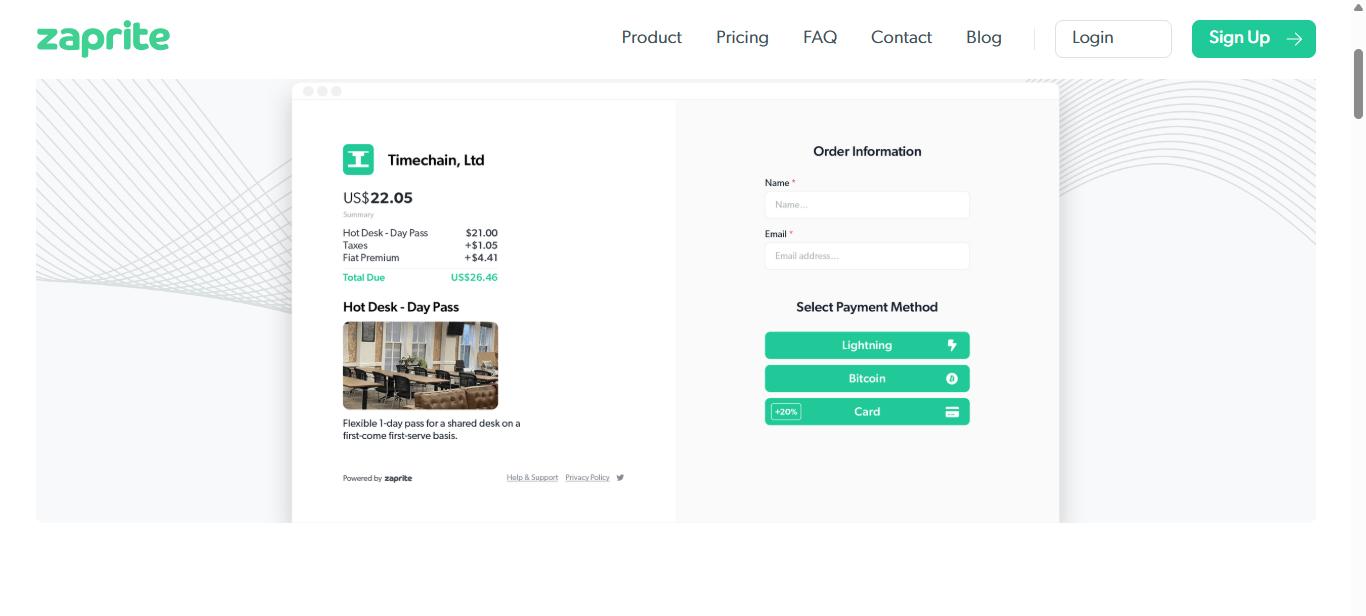
Payments here run on Bitcoin alone. Nothing else makes it through. The Lightning Network backs it up silently. Other coins simply do not apply.
What stands out is how well Zaprite handles invoices. Many freelancers choose it regularly. A fresh look sets it apart from older billing software.
 Nakamoto Builder
Features and Pricing
A single click builds a payment link fast. Send it by email or drop it into a message. Put it right on your webpage if you prefer. Money arrives the moment they complete the transaction.
Key features include:
- Instant payment links: Generate shareable links in seconds
- Recurring billing: Automate monthly, quarterly, or annual subscriptions
- Lightning Network support: Enable near-instant, low-fee transactions
- Zero transaction fees: Keep 100% of your payments
- Custom branding: Add your logo and brand colors
- Professional invoicing: Create polished invoices automatically
Beginning at $20 each month, the entry level sits on a base rate. $50 every month opens up the upgraded version. For bigger setups, there is a custom package built to fit.
Zero costs when you process sales. Every dollar goes straight to you. That setup works well for those moving large amounts of product.
CoinGate Works with Many Online Stores
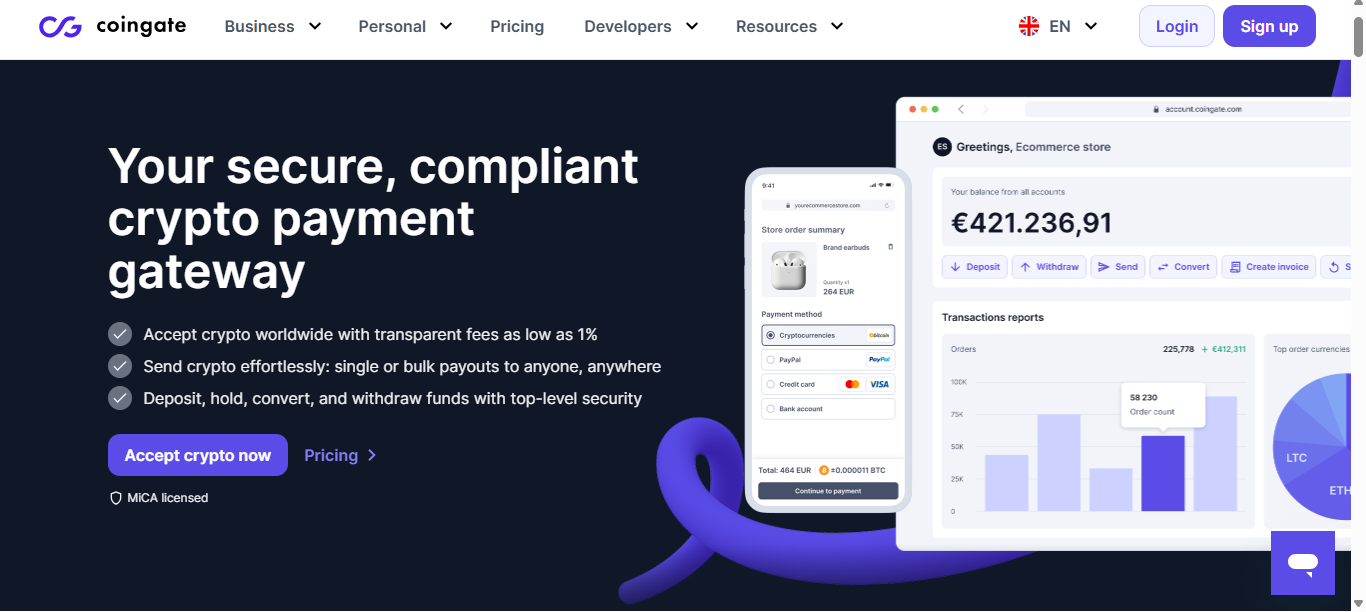
70 different digital coins already work here. Think Bitcoin, sure. But also Ethereum, Litecoin, plenty others too. Flexibility? Built right in for any business moving fast with crypto.
Apart from being smooth with big online stores, it clicks right into Shopify, WooCommerce, Magento, besides PrestaShop without extra setup. Buttons for payments slip neatly into any spot on a page. Despite how scattered things get, everything stays connected behind the scenes.
Features and Pricing
Payouts hit your account right away, whatever you pick. Euros show up. Dollars land without delay. Crypto arrives just as fast. Exchange kicks in automatically, using solid rates.
CoinGate offers comprehensive features:
- 70+ cryptocurrency support: Accept Bitcoin, Ethereum, Litecoin, and more
- Instant fiat settlement: Convert to USD, EUR, or other currencies automatically
- One-click plugins: Install for WooCommerce, Shopify, Magento in minutes
- Payment forwarding: Send funds directly to your wallet
- Hosted checkout pages: No website modification required
- Volume discounts: Lower fees for high-volume merchants
Costs go up in steps based on usage. For those who choose nothing paid, each deal costs 1%. Moving to a paid option begins at €9.99 every month: fees drop when you pay.
Big sellers talk their way into special fees. When payments pass €100,000 each month, costs go down. Because volume changes the deal.
Coinbase Commerce Known for Trust in Cryptocurrency
Starting with a name people recognize helps. Because so many in crypto have used Coinbase before, stepping into Commerce feels familiar. That comfort shows up as trust right away. The reputation travels with it.
A fresh start splits off from Coinbase’s trading hub. Getting in doesn’t need a primary account. Business operates on its own path. Away from the core, things move separately.
Features and Pricing
What stands out is the lack of transaction costs. Payments cost you zero on Coinbase. The sole expense comes from network fees.
Main features include:
- Zero platform fees: No transaction charges from Coinbase
- Self-custody control: You hold the private keys to your funds
- Multiple cryptocurrencies: Accept Bitcoin, Ethereum, Litecoin, USDC
- Hosted checkout pages: Pre-built payment interfaces
- Brand recognition: Leverage Coinbase's trusted reputation
- Instant setup: Start accepting payments in under 10 minute
Best Use Cases
Out there, crypto-native companies just slide into place. Think about groups who already handle digital coins every day. Picture NFT creators, platforms built on chain tech, new ventures running on blockchains. These spaces breathe that world.
Fees vanish when merchants aim low. Each dollar holds weight for smaller shops. Profit space grows once transaction charges disappear.
Some people pick this way of storing their money. They want total say over what they own. A middleman never touches it.
OpenNode Built for Lightning Speed
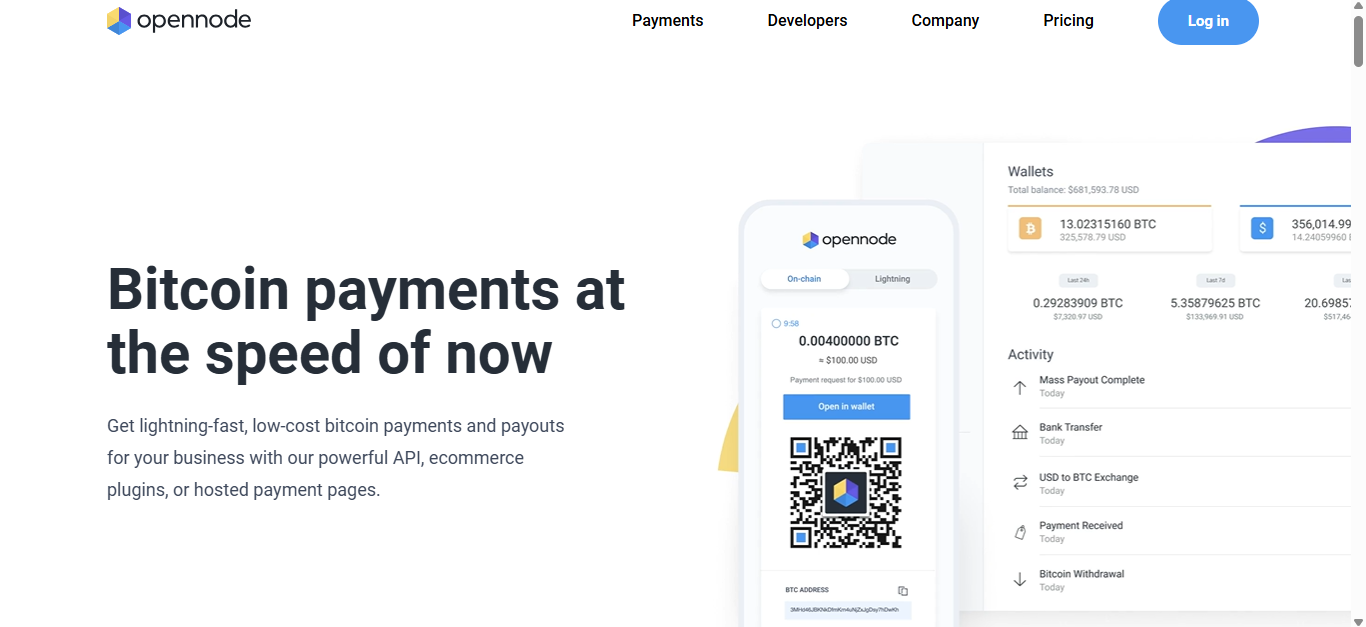
Payments zoom through fast when using OpenNode. This setup leans on the Lightning Network. Fees barely register, tiny amounts pass easily. Microtransactions fit right in here. Speed meets low cost without slowing down.
Folks running shops often wait too long just to get a green light. Speed matters when money moves through Lightning, it settles fast, like right away. Regular Bitcoin? That one drags, needing several minutes before it locks in.
 Nakamoto Builder
Features and Pricing
Fees drop when speed matters most. Built-in Lightning means transactions move fast. Payments cost almost nothing. Perfect for buying little things.
OpenNode delivers:
- Lightning Network speed: Payments confirm in seconds, not minutes
- Minimal transaction fees: Often less than one cent per payment
- Fiat auto-conversion: Eliminate Bitcoin price volatility
- Hosted checkout: Mobile-optimized payment pages
- E-commerce plugins: WooCommerce and Shopify integrations
- API access: Build custom payment experiences
A small cut, just 1%, comes off each transaction. Start using it today at no cost for core tools. Big users get lower rates based on how much they process. The more activity, the less you pay.
Best Use Cases
Most digital creators gain the advantage. Some use paywalls, others offer special material or accept voluntary payments. Profit can come from small purchases when they add up over time.
Platforms for playing games work smoothly with live video tools. Buying items inside a game often pairs with viewer gifts. Getting quick alerts when something happens helps keep things moving. What counts is knowing right away it went through.
Folks who sell fast love quick systems. Think coffee spots, web tools, or monthly sign-ups. When crowds pour in, Lightning keeps up without slowing down.
NOWPayments Offers Wide Range of Cryptocurrencies
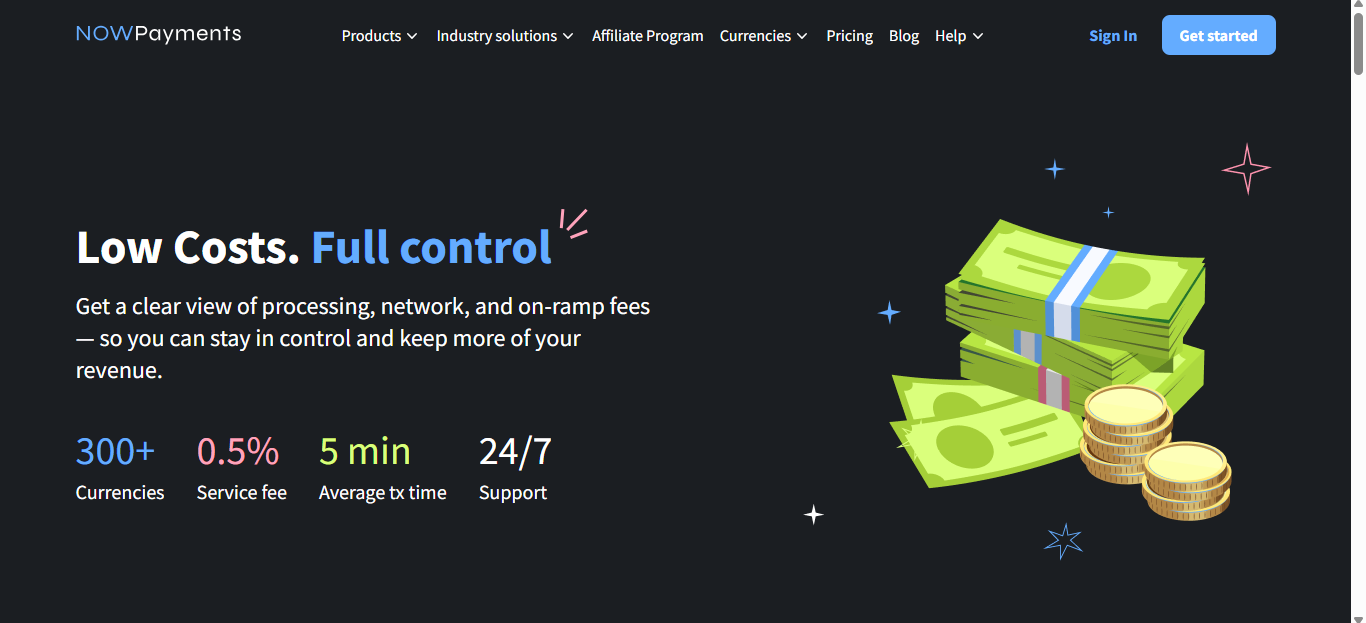
Right now, more than 300 digital currencies work through NOWPayments. Think Bitcoin, then add Ethereum. Toss in a wide mix of altcoins along with various tokens. Each group within the crypto world finds what they need here.
Whatever you need, the system adjusts. Take in any format without limits. Turn it into what works best. Preferences stay fully yours to manage.
Features and Pricing
A huge variety of cryptocurrencies makes it noticeable. Because uncommon tokens are supported, specific groups take interest. Most places accept these options widely.
Core features:
- 300+ cryptocurrencies: Accept virtually any digital asset
- Auto-conversion: Receive payments in your preferred crypto
- Payment links: No website required for selling
- Custodial and non-custodial options: Choose your security preference
- Mass payouts: Pay multiple recipients simultaneously
- Donation widgets: Perfect for nonprofits and creators
Starting cost 0.5% each time someone pays. There are no charges every month. You cover costs just when money comes through.
Funds can stay with a provider or under your own control. Pick what feels safer for you.
Best Use Cases
Built on digital coins, some folks run shops this way. Others stick tight to certain tokens they trust. Winning more buyers means saying yes to more payment types. Who gets chosen? The ones who welcome everyone.
Some folks give freely when there is no set price. Charities see this often. Creators online notice it too. People choose which digital money feels right to them.
Some sellers work worldwide. Where people live often shapes which digital money they like. One solution fits every place at once.
Five Platforms Compared
Not every system fits the same purpose. What works hinges on how your business runs.
Quick comparison breakdown:
- Zaprite: Best for invoicing, recurring billing, Bitcoin purists
- CoinGate: Best for e-commerce stores, multiple cryptos, international sales
- Coinbase Commerce: Best for zero fees, brand trust, self-custody
- OpenNode: Best for Lightning Network, microtransactions, speed
- NOWPayments: Best for maximum crypto variety, donations, flexibility
Fee Comparison
Fees differ a lot between services. While Zaprite skips transaction costs entirely, it asks for a recurring monthly payment instead. CoinGate takes just 1% if you’re using their basic option, though rates drop when moving up to premium levels.
Fees vanish completely with Coinbase Commerce. A flat 1% comes into play when using OpenNode. Every deal done through NOWPayments brings a small 0.5% cost along.
Think about how much you sell before picking a plan. Those moving lots of items often spend less on subscriptions. Sellers with fewer sales usually like paying per transaction instead.
Technical Requirements
Getting started takes almost no tech background at all. Just knowing how to handle a site now and then is enough. Writing code? Not required here.
Getting e-commerce tools into your site gets easier with these add-ons. With a single click, installation does nearly everything needed. Instead of changing lines of code, users adjust settings through guided menus.
Got a link? That is enough. Send it by email or post online. People open it, see the payment page. They finish right there.
A door opens when tools talk to each other behind the scenes. Someone building software might step in with tailored connections. Clear guides show paths through complex tasks.
Security and Compliance Considerations
With Bitcoin, there is no credit card info to steal. That makes data leaks a non-issue. Sensitive details stay out of databases altogether.
Still, fresh challenges appear. Keeping cryptocurrency safe takes thought. Protection of private keys matters most.
Wallet Security
Knowing what kind of wallet you use makes your money safer
- Hot wallets: Connected to internet, convenient but higher risk
- Cold wallets: Offline storage, maximum security, less convenient
- Custodial wallets: Provider controls keys, easier but less control
- Non-custodial wallets: You control keys, more responsibility
Payment handling often relies on outside systems. Security setup runs through their team. Protection plans may pay for certain mistakes.
Your keys, your rules. Responsibility sits entirely on you. Holding them means managing everything yourself. Complete freedom comes with full accountability.
Regulatory Compliance
Moving forward, taxes still need attention. Every time bitcoin is received, it counts as money earned. Keeping clear records helps meet federal rules. The IRS watches these details closely.
Money transmitter licenses are mandatory in certain areas. Look up the rules where you operate. Compliance usually falls to payment processors instead.
Who handles your payments shapes what you must show. One might ask for ID. Another could skip names if money moves stay low.
Folks watching the money flow have their eyes open. When something looks off, someone might need to file a report. Usually, it's the payment handler taking care of that task.
Getting Started Today
Start by looking at the five choices listed earlier. Your business type decides which works best. Go with what fits how you operate. Sometimes it's about long-term fit, not quick wins.
Start by setting up your profile then try out how it works. Move a tiny sum to your own name. Walk through what buyers go through.
Try adding Bitcoin at checkout. Begin by picking just a single processor. See how it goes before bringing in another. Grow only if numbers make sense.
Watch how things are working. Get thoughts from people who buy. Look at the numbers showing sales success. Find out what users think of their time using it.
Disclaimer
This article is for informational purposes only and does not constitute financial, legal, or tax advice. Cryptocurrency regulations vary by jurisdiction. Consult with qualified professionals before implementing Bitcoin payment solutions for your business. Cryptocurrency prices are volatile and can result in financial loss. Always conduct your own research and assess your risk tolerance before accepting digital assets as payment.
